How Adult Creators Can Capture Verified Emails Without a Form (Google Login Method)
Most adult creators send traffic to a bio link. The visitor sees the links, clicks through to OnlyFans or another platform, and disappears. No name, no email, no way to reach them again.
Some creators try to fix this with an email form embedded in their bio link page. The conversion rate on those forms is 2-5%. Which means 95-98% of every person who clicked your link left without giving you anything.
There is a different method. It converts at 15-20%, captures only verified emails, and requires no typing from the visitor. Here is how it works and why it is particularly well suited for adult content creators.
Why Email Forms Fail
The email form seems like a simple ask: give me your email, I'll give you access to my links. In practice, the conversion rate tells a different story.
Typing an email address creates friction. On mobile — where the majority of social traffic comes from — opening a keyboard, typing a string of characters accurately, and hitting submit is effort. Most visitors will not do it.
But friction is only part of the problem. Trust is the other part.
A form asking for your email address carries an implicit question in the visitor's mind: will I get spam? Will this end up on a list that gets sold? The visitor has no way to evaluate the creator's email practices. The safe choice is to not submit.
The result is a conversion rate that makes forms nearly useless as a list-building tool for bio link traffic. If your Instagram or Twitter bio link generates 500 clicks per month, a 3% form conversion rate means 15 emails captured. Per month.
What Google Login Does Instead
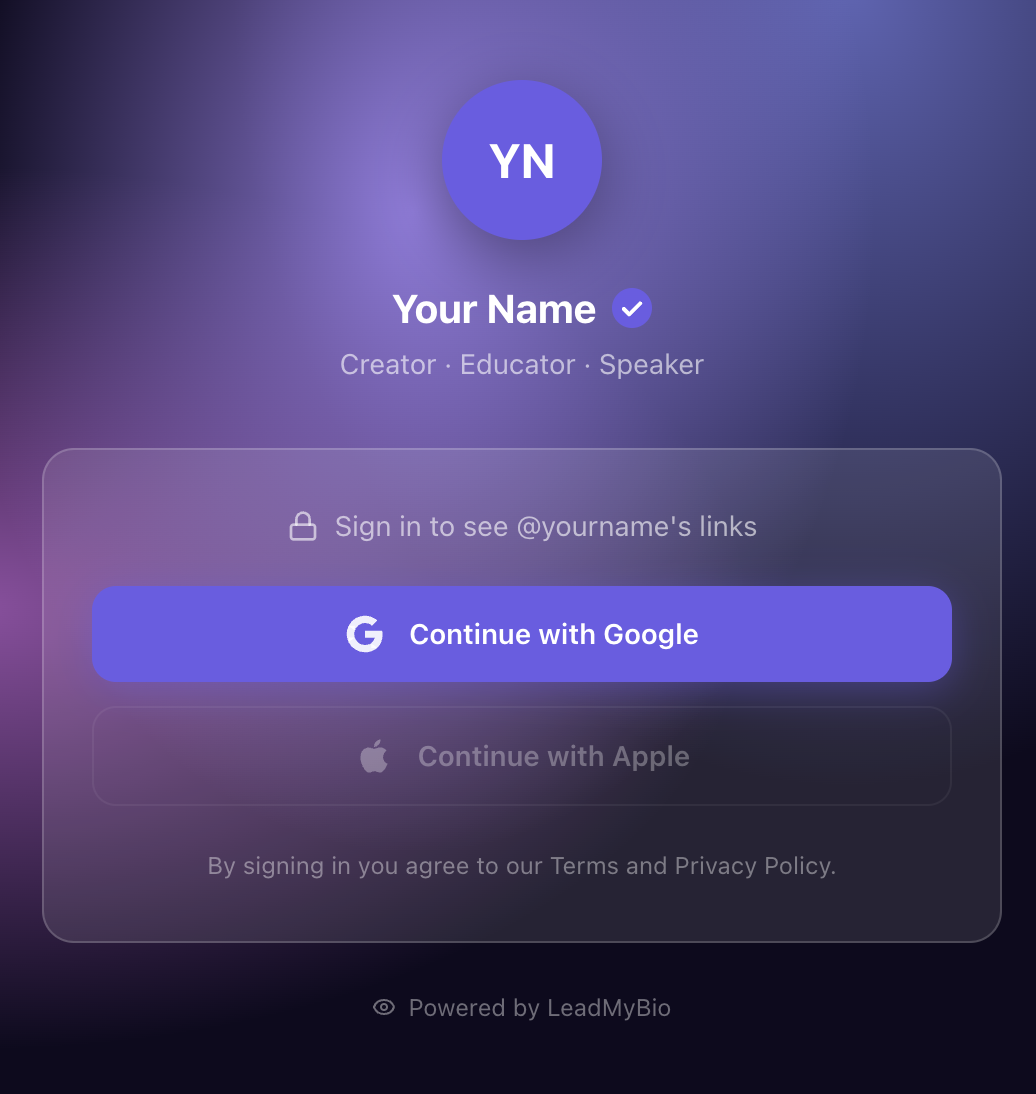
The alternative is OAuth-based authentication — specifically, "Sign in with Google." Instead of a form, the visitor sees a Google login prompt. They tap once to authenticate. That is the entire interaction.
What you receive on the backend:
- Their verified email address (the one Google has on file)
- Their real name (as registered with Google)
No typing required from the visitor. No email validation needed from you. Google has already confirmed that the address is real, active, and monitored.
This is not a new technology. "Continue with Google" buttons appear on banking apps, streaming services, productivity tools, and major platforms across the internet. The experience is standardized and familiar.
How the Flow Works
When someone clicks your bio link on Instagram, TikTok, Twitter, or anywhere else, here is what happens:
- They land on your LeadMyBio page and see a Google login prompt
- They tap "Continue with Google" — one tap on mobile, already logged into their account
- Google authenticates them and passes their verified email and name to LeadMyBio
- They see your links exactly as normal — OnlyFans, other platforms, whatever you have set up
- Their email and name appear in your dashboard in real time
The visitor experience takes approximately two seconds. The authentication step is not an obstacle — it is a standard interaction that feels familiar from dozens of other apps they use daily. The links they came for are right there on the other side of the tap.
Why Adult Creators Are Specifically Positioned for This
Authentication flows are not new to the adult creator audience.
Before accessing almost any adult platform, users go through login screens, age verification prompts, and account creation flows. They are accustomed to authenticating before accessing content. A Google login step before seeing a bio link page reads as normal to this audience in a way it might not for other verticals.
Contrast this with a general lifestyle creator's audience, which may expect a bio link page to simply display links immediately. For adult content audiences, a step that says "authenticate to proceed" fits the established pattern of how platforms in this space work.
The result: the cognitive friction of the Google login step is lower for this audience than for most others, which contributes directly to the higher conversion rate.
The Verified Email Advantage
Not all email addresses are equal.
Form-captured lists contain a predictable percentage of fake addresses ("[email protected]"), abandoned accounts the visitor never checks, and temporary inbox services created specifically to avoid marketing email. Industry benchmarks for form-captured lead lists put average open rates at 10-20%.
Google-captured addresses are different in character. A Google account is not a throwaway. It is tied to an Android phone, Chrome sync, Google Drive, YouTube history, Google Maps, and often financial services. No one abandons it. The email on file is the one the person checks every morning.
This is why email lists built from Google OAuth authentication consistently see open rates of 35-45%. The addresses are real, primary, and actively monitored. The people on the list are reachable.
The Numbers Compared
The math is simple enough to run directly.
Take a bio link that gets 500 clicks per month:
Email form (3% conversion): 15 contacts per month, 180 per year. With a 41% open rate, each message reaches 74 people — if those addresses are valid and actually checked. In practice, with the quality issues inherent to form-captured lists, the real number is lower.
Google login (17% conversion): 85 contacts per month, 1,020 per year. With a 41% open rate on verified addresses, each message reaches 418 people.
Same bio link. Same traffic volume. The difference is 418 people reading each message versus fewer than 74.
Over the year, the form builds a list of 180 contacts of uncertain quality. The Google login method builds a list of 1,020 verified contacts — people who actively clicked your bio link, authenticated with their real identity, and saw your links.
What to Do With the List
An email list is most valuable when it is used for things social platforms cannot do.
New content announcements. An email reaches 41% of your list in their personal inbox. An Instagram post reaches 5-8% of your followers through the algorithm. If you are announcing a new subscription tier, a content series, or a limited offer, email is the channel that actually reaches people.
Re-engagement for former subscribers. When someone cancels their OnlyFans subscription, they are gone from the platform. If you have their email, you can send a re-engagement sequence 30, 60, and 90 days later. A win-back email with a targeted offer converts a measurable percentage of churned subscribers back to active ones.
Exclusive offers. Email is the right channel for time-sensitive promotions — a 48-hour discount, early access to a new content tier, a flash sale. These convert because email creates urgency in a way that platform notifications and social posts do not.
Platform migration. If your OnlyFans account is suspended — incorrectly, temporarily, or permanently — or if you decide to move to a different platform, your email list is how you tell subscribers what happened and where to find you. Without it, those relationships are gone.
Ban Insurance
This last point deserves direct treatment.
Adult content creators operate on platforms that can and do suspend accounts without warning. OnlyFans does it. Instagram does it to promotional accounts. Twitter has done it in waves. The platforms do not need to explain their decisions, and appeals processes are unreliable.
An email list exists completely outside every platform. It is a file. You own it. You can export it, import it anywhere, and send from any email service provider regardless of what any platform decides to do with your account.
If your Instagram promo account disappears tomorrow, you send one email. Your audience knows you are still operating and where to find you.
If your OnlyFans account is suspended, you send one email. Your subscribers know what happened and where to follow you.
The email list is the one piece of your business that no platform ban can reach.
Setting It Up
A LeadMyBio profile takes about five minutes to configure. You add the same links you already have — OnlyFans, your other platforms, your other accounts — and set your profile live. Replace your current bio link with your LeadMyBio URL.
From that point, every visitor who clicks through to your bio link encounters the Google login flow. Every authentication is a verified lead. Your dashboard updates in real time, and you can export your list at any time.
The free plan covers 1,000 leads at no cost.
Ready to stop renting your audience? Set up your LeadMyBio profile in 5 minutes. Free forever up to 1,000 leads. No credit card required. Create your free profile →
Ready to start capturing real leads?
Set up your LeadMyBio profile in 5 minutes. Free forever up to 1,000 leads.
Create your free profile →