The Best Link in Bio Tool for Email Capture in 2026
If you are searching for the best link-in-bio tool for email capture in 2026, the answer is shorter than you might expect. Most link-in-bio tools — including the most popular ones — were never designed to capture emails. They were designed to show links. That is a meaningful distinction, and understanding it will save you months of using the wrong tool for the wrong job.
This guide compares the four most widely used link-in-bio tools specifically on the dimension that matters most for building an owned audience: how many verified emails do they capture, and how?
What "Email Capture" Actually Means for a Link-in-Bio Tool
Before comparing tools, it is worth clarifying what email capture means in the context of a bio link page.
Passive email capture: The tool shows your links. Somewhere on the page, there is an optional form or newsletter signup widget. Visitors can submit their email if they feel like it — but most do not. This is what most tools offer.
Active email capture: Every visitor who wants to see your links must provide their email (or log in with a service that provides it). There is no opt-out. Every interested visitor becomes a lead.
The gap between these two approaches is not incremental — it is categorical. A passive form on a link page might convert 2-5% of visitors. An active login gate converts 15-20% of visitors (with the trade-off that some lower-intent visitors leave rather than logging in, which is actually a feature, not a bug).
Tool 1: Linktree
Linktree is the most widely used link-in-bio tool in the world, with over 50 million users. It is the default choice for creators who want a simple page with multiple links.
What Linktree does well:
- Fast, easy setup — a profile is live in minutes
- Supports unlimited links on paid plans
- Clean, customizable design with multiple themes
- Analytics: total page visits, per-link click counts, geographic data
- Integrations with Mailchimp and other email platforms via a commerce block
Email capture capability: Linktree offers an "Email Sign Up" block that creators can add to their page. This is a manual opt-in form — visitors choose to enter their email. There is no gate; seeing your links does not require any interaction with the email block.
Honest assessment of Linktree email capture: If you add an email sign-up block to your Linktree, you are competing for attention against every other link on your page. Most visitors are there to find something specific — your YouTube, your shop, your latest post. They scroll past the email block without engaging. Conversion rates of 1-3% from total page visitors are typical.
Linktree is excellent at its core purpose. It is a poor email capture tool.
Pricing: Free plan available. Paid plans from $5-$24/month.
Tool 2: Beacons
Beacons positions itself as a creator monetization platform. In addition to links, it supports digital products, media kits, and embeddable content blocks.
What Beacons does well:
- More visual and content-rich than Linktree
- Built-in store for digital products
- Media kit builder for brand partnerships
- Email subscription block with direct Mailchimp integration
- Better analytics than Linktree on most metrics
Email capture capability: Beacons includes a dedicated "Email" block that you can add to your profile page. Visitors who scroll to that section can subscribe. Beacons also supports an "Email Gate" feature on certain plans — you can lock specific content (like a PDF download) behind an email submission.
The email gate is a step toward active capture, but it applies to specific pieces of gated content rather than to your entire bio link page. The overall page and all other links remain accessible without email submission.
Honest assessment of Beacons email capture: Better than Linktree for email capture, particularly if you use the gated content feature. But the default experience still allows visitors to browse your full page without sharing their email. You are relying on their voluntary engagement with an email block.
Pricing: Free plan available. Paid plans from $8.33/month.
Tool 3: Later Link in Bio
Later is primarily a social media scheduling platform. Its Link in Bio feature is designed to drive traffic from Instagram posts directly to relevant content — essentially turning your bio link into a shoppable or content-specific landing page.
What Later Link in Bio does well:
- Links individual posts to specific URLs (so a Reel about a recipe links directly to that recipe)
- Integrates tightly with Later's scheduling workflow
- Good for e-commerce creators linking posts to product pages
- Analytics focused on which posts drive bio link traffic
Email capture capability: Later Link in Bio does not have a meaningful email capture feature. It is a traffic routing tool, not a lead capture tool. If you want email capture alongside Later, you need to set it up entirely separately — typically by making one of your featured links go to an external email sign-up page.
Honest assessment of Later Link in Bio for email capture: Not designed for this use case. Later is the right tool if your primary goal is routing traffic from specific posts to specific pages. It is the wrong tool if building an email list is your primary goal.
Pricing: Available on Later plans starting at $16.67/month.
LeadMyBio captures a verified email from every person who taps your bio link — via Google login, no forms, no fake addresses. Start building your list free →
Tool 4: LeadMyBio
LeadMyBio is the only link-in-bio tool designed from the ground up for email capture. Every other feature — the link page, the analytics, the profile customization — exists in service of one core function: identifying every person who taps your bio link.
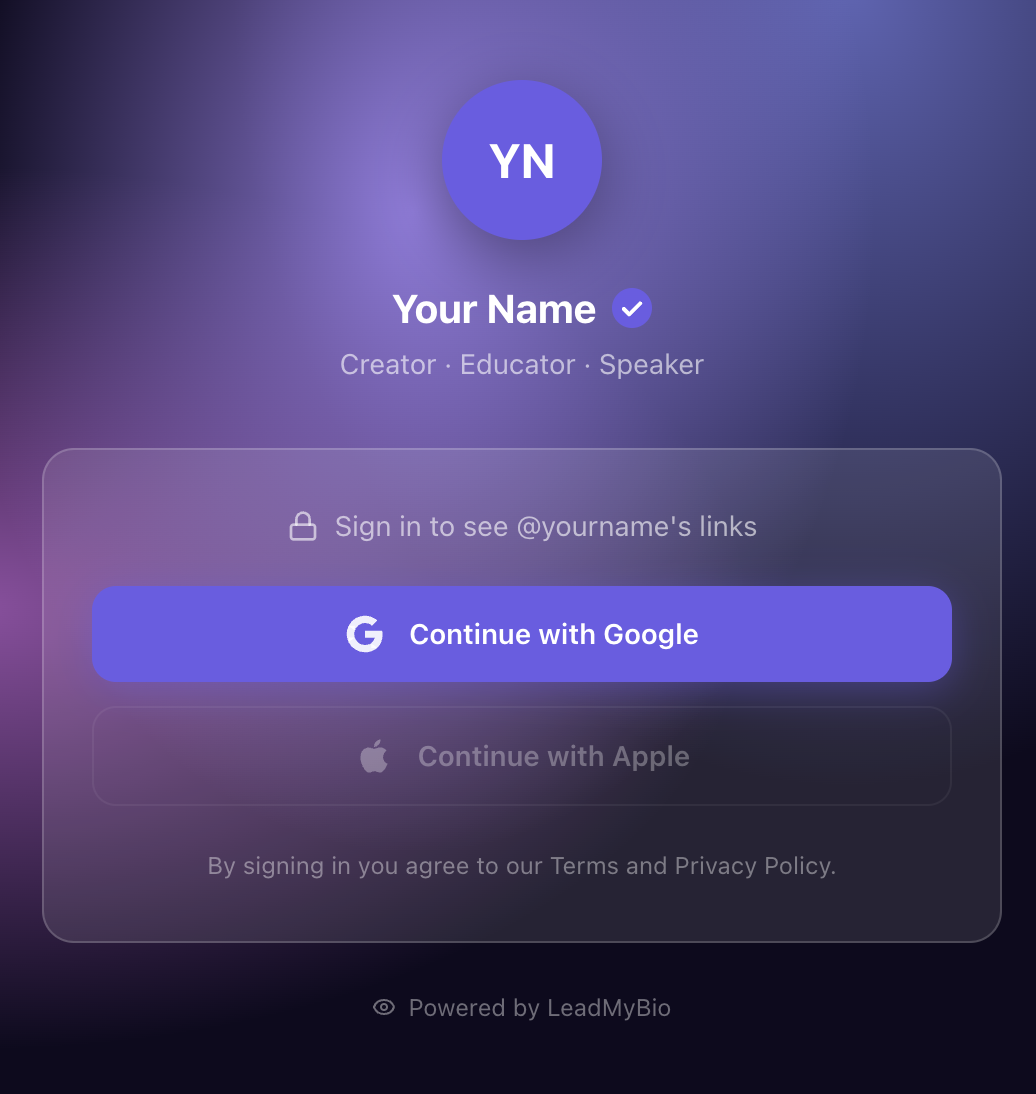
How it works: Visitors tap your bio link and land on your LeadMyBio profile page. They see your name and profile photo. Before accessing your links, they tap "Continue with Google." This one-tap action — using their existing Google account — sends their verified name and email to your leads dashboard. They then see your links and continue normally.
What LeadMyBio does:
- Captures verified name and email from every visitor who completes Google login
- Links: you can add all your destinations, same as any other link-in-bio tool
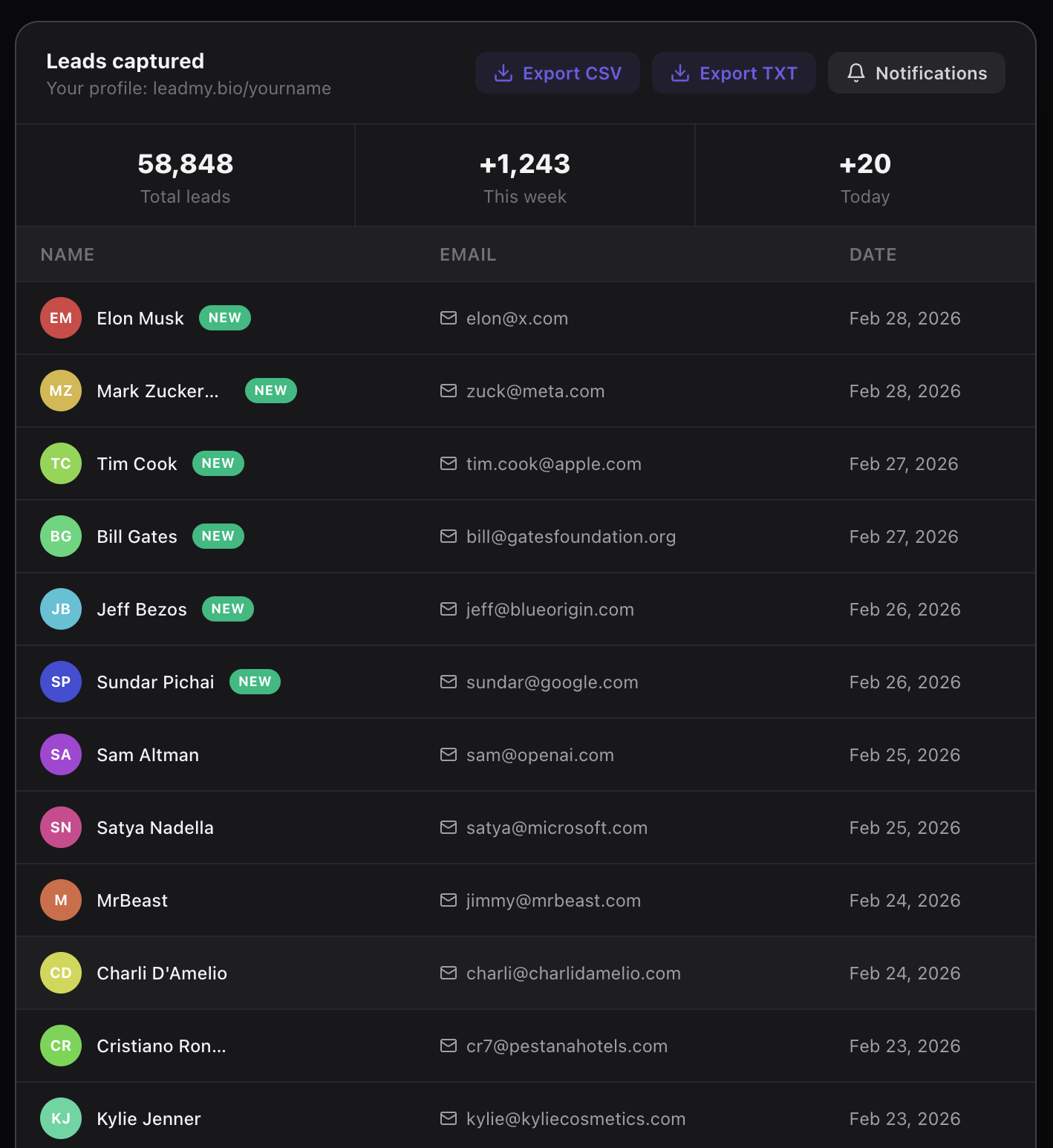
- Dashboard: real-time view of leads as they come in, with timestamps
- Export: download your lead list or sync with your email platform
- No fake emails: Google login is tied to a real account — there is no mechanism to enter a fake address
Email capture comparison:
| Tool | Email capture method | Conversion rate | Email quality |
|---|---|---|---|
| Linktree | Optional form block | 1-3% of visitors | Mixed (self-reported) |
| Beacons | Optional form + gated content | 2-5% of visitors | Mixed (self-reported) |
| Later Link in Bio | No native capture | Near 0% | N/A |
| LeadMyBio | Mandatory Google login | 15-20% of visitors | Verified (Google accounts) |
Why the conversion rate difference is so large: Linktree and Beacons ask visitors to voluntarily engage with a secondary element on the page. Most do not. LeadMyBio makes the login a necessary step to access your links. Visitors who are interested enough to tap your bio link and see your content are interested enough to spend one second logging in with Google.
What This Means in Practice
Consider a creator whose bio link gets 500 visitors per month.
- With Linktree: 10-15 email form submissions, some of which are fake. Perhaps 8-10 real, usable contacts gained per month.
- With LeadMyBio: 75-100 Google login completions. Every one is a real, verified contact. 75-100 real contacts per month.
Over 12 months: 96-120 contacts vs. 900-1,200 contacts. The difference compounds. After two years, the LeadMyBio user has a list 8-10 times larger — and higher quality.
Pricing: Free for your first 1,000 leads. $9/month after that.
The Right Tool Depends on Your Primary Goal
If your primary goal is showing multiple links in a visually appealing format, Linktree and Beacons are solid tools. They handle that job well.
If your primary goal is building an owned email list from your bio link traffic — creating an audience asset that does not depend on Instagram's algorithm — LeadMyBio is the only tool designed to do that effectively.
To set up LeadMyBio:
- Go to leadmy.bio/login
- Create your profile and add your links
- Replace your Instagram bio link with leadmy.bio/yourname
Your first 1,000 leads are free. No credit card required. After 1,000 leads, $9/month.
The best link-in-bio tool for email capture is the one built specifically for that purpose. In 2026, that is LeadMyBio.
Ready to start capturing real leads? Set up your LeadMyBio profile in 5 minutes. Free forever up to 1,000 leads. No credit card. Create your free profile →
Ready to start capturing real leads?
Set up your LeadMyBio profile in 5 minutes. Free forever up to 1,000 leads.
Create your free profile →