Can You See Who Clicks Your Instagram Bio Link? (Here's What Actually Works)
You searched "can you see who clicks on your Instagram link" because you already suspect the truth: Instagram is withholding something from you. Your bio link gets tapped every day, and you have no idea who's on the other end. That feeling is completely justified — and there is a real solution.
The short answer is that Instagram itself will never show you names. But with the right bio link tool, you can know exactly who clicked — their name, their verified email, and when they arrived.
What Instagram Actually Shows You
If you have a professional or creator account on Instagram, you have access to Instagram Insights. In Insights, you can navigate to your profile overview and find a metric called "Link Taps" or "Bio Link Clicks." This shows you the total number of times your bio link was tapped during a selected time period.
That is the entire story Instagram tells you about your bio link traffic.
- Total clicks: Yes
- Date of clicks: Yes
- Which hour of day: Yes
- Who clicked: No
- Their name: No
- Their email: No
- Whether they came back: No
Instagram has access to far more data than this. They know the account of every logged-in user who taps your bio link. They do not share this with creators. This is by design — that data is one of the core assets that powers Instagram's advertising business. If you had it, you could reach your audience directly without paying for ads.
So the answer to "can you see who clicks your Instagram bio link" in native Instagram Insights is: no. You see a number. Nothing more.
Why This Is a Bigger Problem Than It Looks
Think about what happens on a typical day for a creator with 10,000 followers.
They post a Reel that performs well. Three hundred people tap their bio link over the next 24 hours. Some of those people were casual viewers passing through. Some were highly engaged fans who have watched every single video. Some were potential customers who visited specifically because they were ready to buy. Some were journalists, brands, or collaborators scoping out the creator's profile.
Instagram shows you the number 300. It treats every click as identical. You have zero ability to follow up with any of those people, understand which were high-intent, or build a relationship with the ones who mattered most.
Those 300 taps represent real human beings who were interested enough in you to click. Letting them disappear is not a minor inconvenience — it is the primary reason most creator businesses fail to build sustainable revenue.
What Third-Party Link Tools Show (And Don't Show)
Many creators replace their single Instagram bio link with a link-in-bio tool like Linktree, Beacons, or Later. These tools give you a landing page with multiple links and their own analytics dashboard.
These analytics are an improvement over Instagram's native Insights:
- Total clicks to your bio link page: Yes
- Clicks on each individual link: Yes
- Geographic data: Sometimes (country, city)
- Device type: Sometimes
- Referral source: Sometimes
- Who clicked: No
- Names: No
- Emails: No
Third-party link-in-bio tools are essentially just traffic analytics tools with nicer dashboards. They tell you which of your links is most popular. They cannot tell you who those people are. The data is still anonymous.
LeadMyBio captures a verified email from every person who taps your bio link — via Google login, no forms, no fake addresses. Start building your list free →
The Tool That Actually Shows You Who Clicked
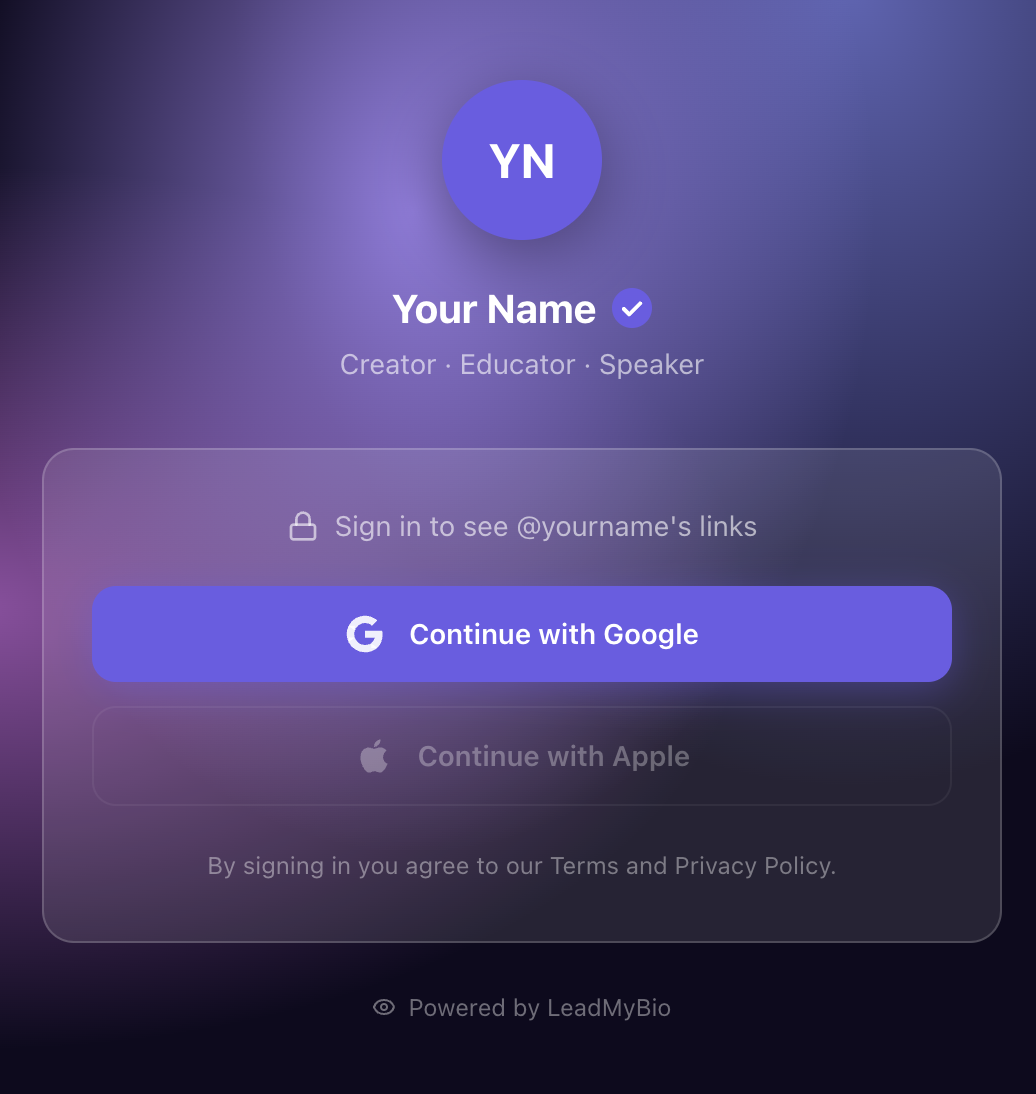
LeadMyBio works on a completely different principle. Instead of tracking anonymous traffic, it requires every visitor to log in with Google before they can see your links.
Here is what the experience looks like from a visitor's perspective:
- They tap your bio link (leadmy.bio/yourname)
- They see a clean profile page with your name and photo
- Before seeing your links, they are prompted to "Continue with Google"
- They tap — one tap, using their existing Google account
- They see your links and continue normally
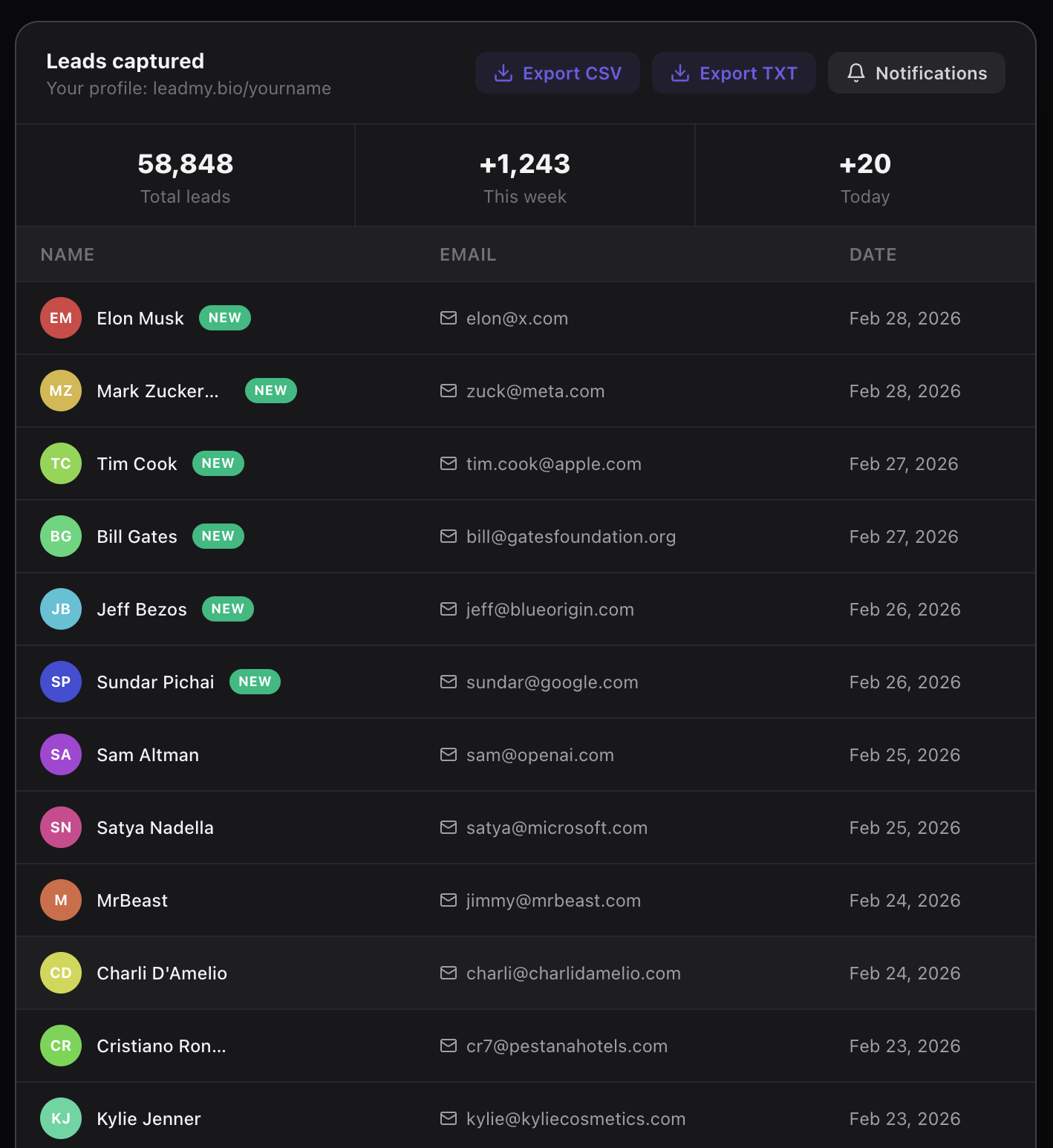
From your perspective, that Google login sends you their real name and verified email address. Not a form submission. Not a self-reported email that might be fake. A verified identity tied to a real Google account.
What You Can Do With This Information
Once you have names and verified emails instead of just click counts, your options expand dramatically.
Email marketing: You can add these contacts to Mailchimp, ConvertKit, Beehiiv, or any email platform and start a newsletter. Email open rates average 35-45% for engaged audiences. Compare that to organic Instagram reach, which typically sits around 3-5% for non-Reels content.
Product launches: When you release a new course, digital product, or service, you email your list directly. You do not need your next post to perform well to reach the people who have already shown interest.
Brand partnerships: Some creators have started sharing their verified contact count — not follower count — with brand partners as proof of actual audience reach. An email list of 5,000 verified addresses is more valuable than 50,000 unverifiable followers.
Understanding your audience: When you see real names coming in from your bio link, you start noticing patterns. Specific people visit repeatedly. People from specific campaigns convert at different rates. You gain genuine audience intelligence.
The Numbers: What 300 Bio Clicks Per Day Actually Means
If your bio link gets 300 taps per day — a modest number for a creator with 10,000+ followers — here is what LeadMyBio captures:
- Conversion rate with Google login: 15-20% (some visitors will not want to log in and leave, which is fine — these tend to be low-intent visitors anyway)
- Daily leads captured: 45-60
- Monthly leads captured: 1,350-1,800
- Annual leads captured: 16,200-21,900
After one year, you have roughly 18,000 verified contacts who expressed genuine interest in your content. That list is yours. It lives in your email platform, not on Instagram's servers.
How to Set This Up in 5 Minutes
- Go to leadmy.bio/login and create your free account
- Set your username — your profile will be at leadmy.bio/yourname
- Add the links you currently show in your bio page (website, YouTube, newsletter, etc.)
- Go to Instagram, edit your profile, and replace your current bio link with leadmy.bio/yourname
That is it. From that moment forward, every person who taps your bio link will log in with Google before seeing your links. You will start seeing names and emails in your LeadMyBio dashboard in real time.
LeadMyBio is free for your first 1,000 leads. After that, it is $9 per month — less than one coffee shop visit to continuously build an owned audience asset.
The answer to "can you see who clicks your Instagram bio link" used to be no. With LeadMyBio, the answer is yes — and you get their name and verified email address to prove it.
Ready to start capturing real leads? Set up your LeadMyBio profile in 5 minutes. Free forever up to 1,000 leads. No credit card. Create your free profile →
Ready to start capturing real leads?
Set up your LeadMyBio profile in 5 minutes. Free forever up to 1,000 leads.
Create your free profile →