Why Google Login Is the Best Way to Capture Emails from Your Bio Link
There are three words that should concern every creator who uses an email form for list-building: "[email protected]."
That's the most common throwaway email address entered into lead capture forms. It's followed closely by "[email protected]," made-up names at Yahoo, and the secondary Gmail account everyone creates specifically to download things without getting spammed.
Forms let people lie. And people do.
The question isn't whether you should capture emails from your bio link traffic — you absolutely should. The question is which mechanism captures email addresses that are actually real.
Why Forms Fail at Email Verification
When someone types an email address into a form, nothing verifies that:
- The email address exists
- The person owns that email address
- The address is one they actually check
A form accepts whatever you type. "[email protected]" would pass most email validation checks — it's a valid format. But it's clearly not the submitter's real email.
Even "well-intentioned" form submissions produce low-quality data. The person who signs up for your lead magnet might give you a real email address — but is it the email they check every morning? Or is it an old Hotmail account they created in 2010 that they technically still own but haven't opened in three years?
The industry average email open rate for form-captured leads is 10-20%. That means 80-90% of the people who "signed up" to hear from you aren't reading what you send. Many of those addresses don't even reach an inbox — they bounce, or they land in a spam folder in an account no one opens.
You've built a list. But have you built an audience?
What Google OAuth Actually Does
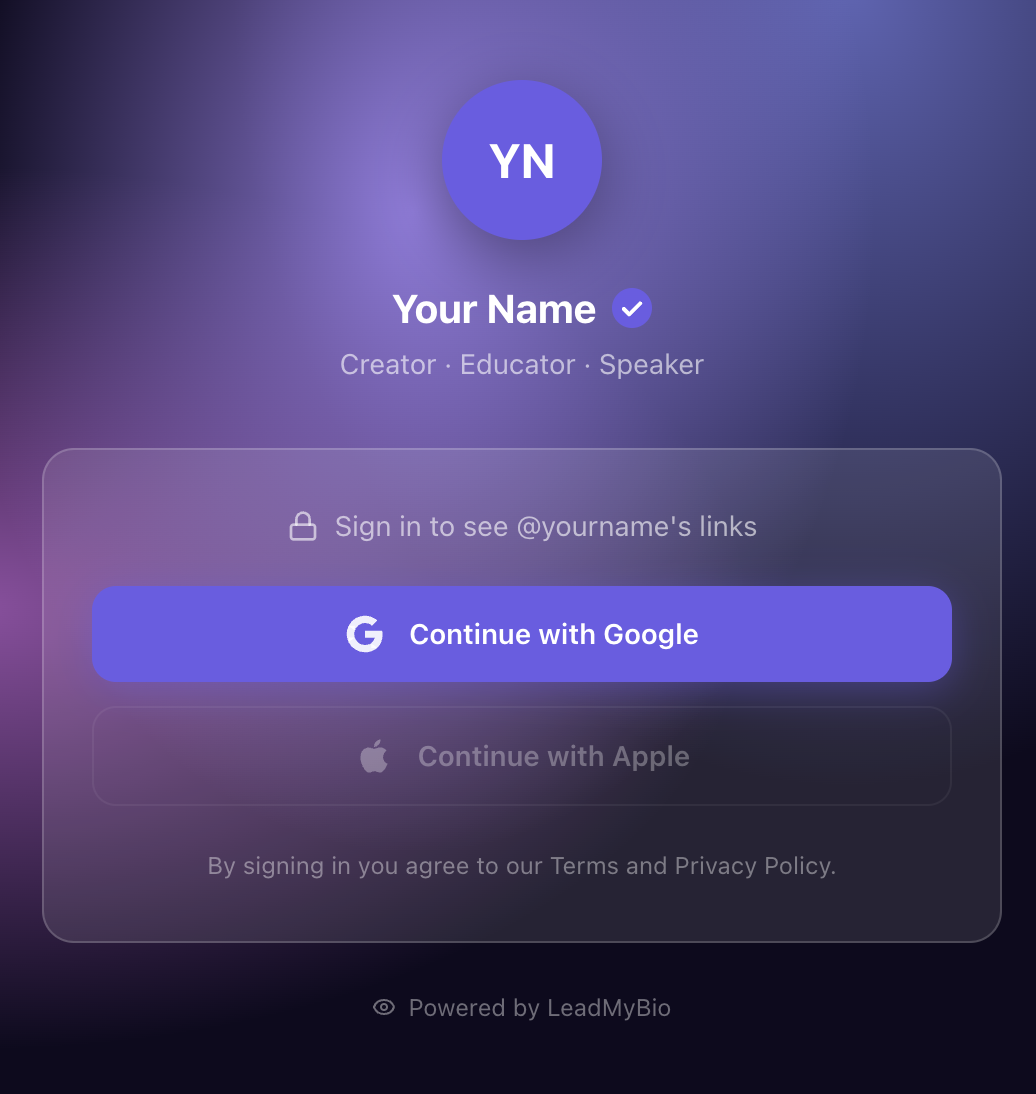
OAuth (Open Authorization) is the technical standard that powers "Sign in with Google" buttons across the internet. When you click "Continue with Google" on any app or website, here's what actually happens:
- The app redirects you to Google's authentication servers
- Google verifies your identity using your existing Google session
- Google sends the app a token confirming who you are
- The app receives verified account information — including your email address
The critical detail: Google has already verified the email address on file. It's not user-submitted data. It's data that Google confirmed and manages. The email address associated with a Google account is the one Google sends verification emails to, recovery codes to, and notification emails to. It's the user's real, active email address.
There's no way to "lie" with Google OAuth the way you can lie with a form. You can't type a fake email. You can't submit a throwaway address you don't control. What Google sends is what Google has on file — verified, active, real.
The "One Tap" Experience
Beyond verification, Google OAuth has another advantage over forms: it's frictionless.
A form asks the visitor to:
- Think of their email address
- Type it (correctly)
- Possibly type their name
- Possibly confirm they're not a robot
- Possibly verify their email in a separate step
Google OAuth asks the visitor to:
- Tap "Continue with Google"
- Select their account if they have multiple (one tap)
That's it. Most users are already logged into Google in their browser. The "Continue with Google" button pre-fills everything. It takes literally one second.
This is why LeadMyBio bio link pages convert at 12-20% vs. 1-3% for standard email forms — it's not just about verification, it's about removing every possible friction point.
Why the Email Is Always Active
Here's the piece that matters most for your open rates: people's Google email is their primary email.
Their Gmail account is tied to their Google account, which means:
- Android phone setup
- Chrome browser sync
- YouTube history
- Google Drive and Docs
- Google Maps saved places
- Google Pay
No one abandons a Gmail account that's tied to all of that. It's not a throwaway. It's not a secondary address they forget about. It's the email they check every morning before they do anything else.
When you capture someone's Google email via LeadMyBio, you're capturing the most actively-monitored email address they have. This is why LeadMyBio lists consistently see 35-45% open rates — the addresses are live, checked daily, and tied to an identity the person cares about.
LeadMyBio uses Google OAuth to capture verified emails from every bio link visitor. One tap, no forms, no fake addresses. Start building your list free →
The Identity Advantage
Forms capture an email address. Google OAuth captures an identity.
When someone signs in with Google, you receive:
- Their verified email address
- Their real name (as registered with Google)
That name information transforms how you can communicate. You're not writing to a list of anonymous email addresses. You're writing to Sarah, to Marcus, to Priya — people whose real names you know because Google confirmed them.
Personalized email subject lines (using the recipient's first name) increase open rates by 10-14% on average. With form-captured data, you often can't use names because people enter fake ones. With Google-captured data, the name is real.
Practical Comparison: What You Actually Get
Let's say your bio link gets 300 visits in a month.
With a standard email form:
- Capture rate: 2-3% = 6-9 emails
- Estimated fake/invalid: 30-40% = 4-6 usable addresses
- Open rate on first email: ~15%
- Emails actually read: 1 or fewer
With LeadMyBio Google login:
- Capture rate: 12-20% = 36-60 emails
- Estimated fake/invalid: 0% (Google-verified)
- Open rate on first email: ~40%
- Emails actually read: 14-24
That's the difference between building a list and building an audience. Same bio traffic. Same effort. Completely different outcome.
The Trust Signal
There's one more benefit of Google login that doesn't show up in the numbers but matters for your brand: it signals trust.
"Continue with Google" is one of the most recognized buttons on the internet. People see it on banking apps, on workplace tools, on major platforms. It carries Google's credibility.
An email form from an unfamiliar creator asking "give me your email" reads as slightly uncertain. A Google login prompt reads as: "this is a legitimate, secure experience." The implicit message is that the creator uses real technology and respects privacy norms.
That perception difference affects whether visitors complete the authentication step. It's part of why conversion rates are higher — not just because of the reduced friction, but because of the increased trust.
How to Implement in 5 Minutes
Setting up Google login for your bio link requires no technical knowledge. LeadMyBio handles all the OAuth integration on the backend.
- Sign up at leadmy.bio/login
- Add your links to your profile (same links you already have)
- Copy your leadmy.bio/username URL
- Replace your current bio link on Instagram, TikTok, or any platform
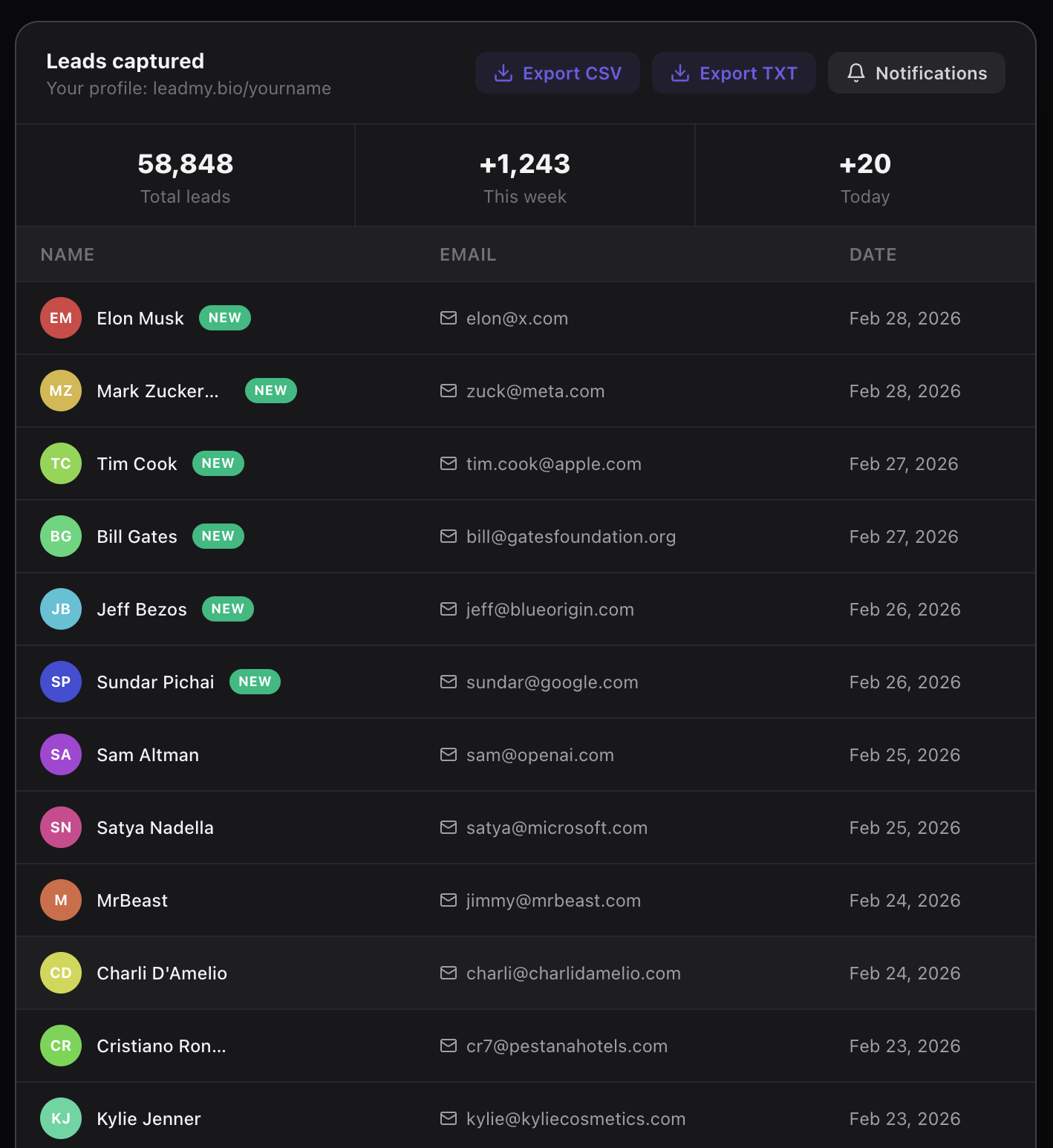
From that moment, every visitor to your bio link page hits a Google login prompt. Every login is a verified lead. Your dashboard populates in real time. New leads trigger Telegram notifications so you see them as they come in.
The free plan covers 1,000 leads at no cost. After that, $9/month.
The Bottom Line
Forms capture what people want to give you. Google OAuth captures what Google has verified is real.
If you care about list quality — about actually reaching the people who clicked your bio link — Google OAuth is not just a better method. It's in a different category from forms entirely.
Your bio link is already driving traffic. The only question is what you're doing with it.
Ready to start capturing real leads? Set up your LeadMyBio profile in 5 minutes. Free forever up to 1,000 leads. No credit card. Create your free profile →
Ready to start capturing real leads?
Set up your LeadMyBio profile in 5 minutes. Free forever up to 1,000 leads.
Create your free profile →