How to Track Who Clicks Your Bio Link on Instagram (Step-by-Step 2026)
If you want to track who clicks your bio link on Instagram, you have three realistic options in 2026. Each one gives you a different depth of information — from a bare click count to a full name and verified email. Understanding what each method actually provides will save you from building your strategy on data that looks useful but cannot tell you anything actionable.
Here is the complete breakdown, from the least to the most useful — and why only one of them can actually identify the people clicking your link.
Method 1: Instagram Native Insights
What it is: The built-in analytics available to professional and creator accounts in the Instagram app.
How to access it:
- Open Instagram on your phone
- Tap your profile photo to go to your profile
- Tap "Professional Dashboard" or "View Insights"
- Select "Your Profile" and look for "Website Taps" or "Bio Link Clicks"
What you get:
- Total number of bio link taps over a selected time period (7 days, 30 days)
- A day-by-day breakdown of when those taps occurred
- The overall click count as part of your profile overview
What you do not get:
- Any information about who clicked
- Username or name of any visitor
- Email or contact information
- Which posts or stories drove people to click
- Whether any individual person clicked multiple times
Verdict: This method tells you your bio link exists and people are tapping it. It cannot tell you anything about those people. If you get 200 clicks on a Tuesday, you know 200 people were interested enough to tap. You cannot follow up with a single one of them.
Method 2: Third-Party Link-in-Bio Tools (Linktree, Beacons, Later, Etc.)
What they are: Link-in-bio platforms that replace your single Instagram bio link with a hosted page containing multiple links. They add a layer of analytics on top of your traffic.
How to access analytics: Each platform has a dashboard. Linktree, for example, shows analytics under the "Analytics" tab after you log in. You see aggregate traffic data for your page and individual link performance.
What you typically get:
- Total page visits to your link-in-bio page
- Click-through rate for each individual link on the page
- Estimated geographic breakdown (top countries, sometimes cities)
- Device type (mobile vs. desktop)
- Referral source (though most traffic appears as "direct" from Instagram)
- Historical trend data (over weeks or months)
What you still do not get:
- Names or identities of any visitors
- Email addresses
- Individual user journey data (did this person click your YouTube link AND your shop link?)
- Any way to contact or re-engage specific visitors
Verdict: A meaningful step up from Instagram Insights. You gain a clearer picture of which links your audience actually cares about, and you can see geographic patterns. But the data remains anonymous. You still cannot identify, contact, or build a relationship with any specific person who clicked.
LeadMyBio captures a verified email from every person who taps your bio link — via Google login, no forms, no fake addresses. Start building your list free →
Method 3: LeadMyBio — Google Login Before Seeing Links
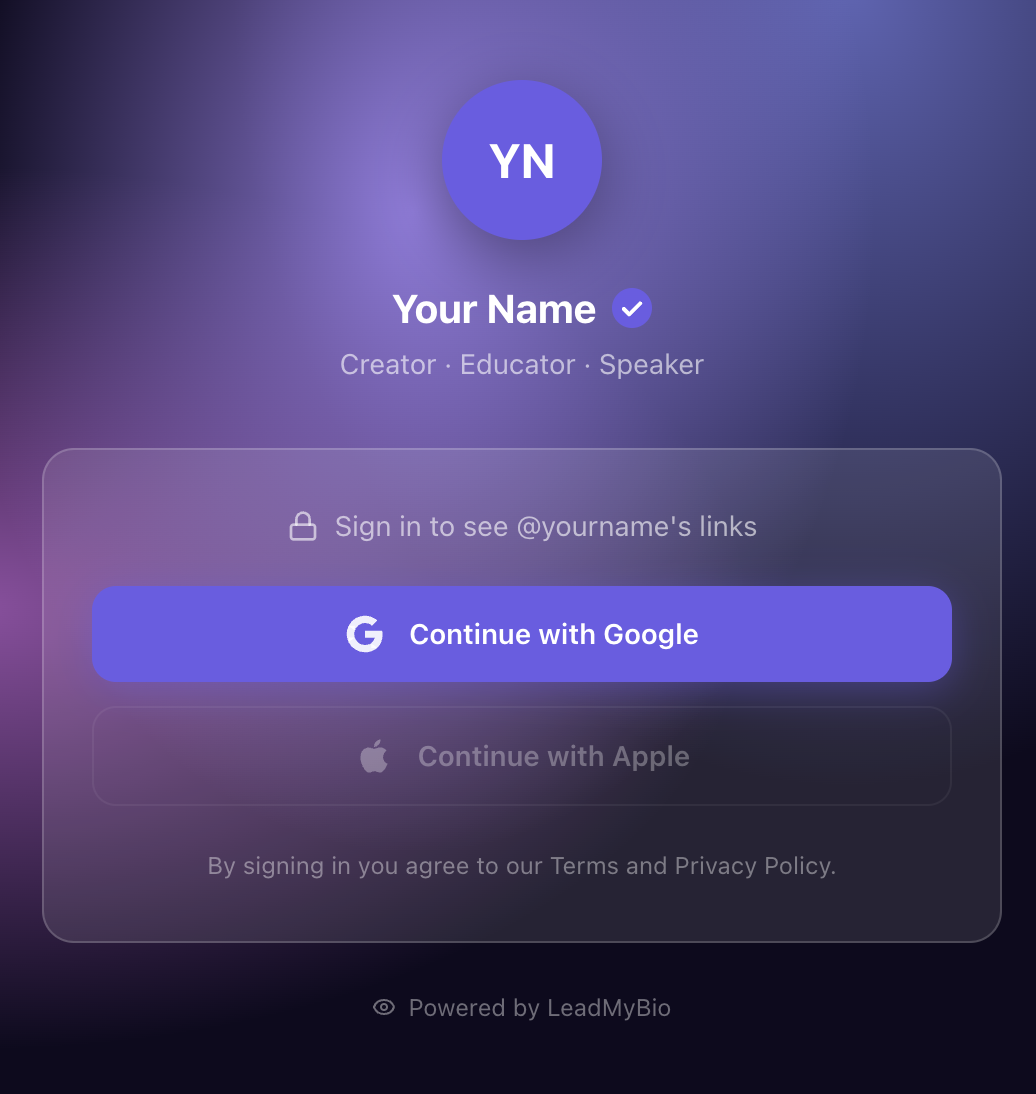
What it is: A link-in-bio platform that requires every visitor to log in with Google before they can see your links. This captures their verified name and email at the moment they tap your link.
How it works:
- You set up your profile at leadmy.bio/yourname
- You add that URL as your Instagram bio link
- Every visitor who taps your link sees your profile page
- They tap "Continue with Google" — one tap, using their existing Google account
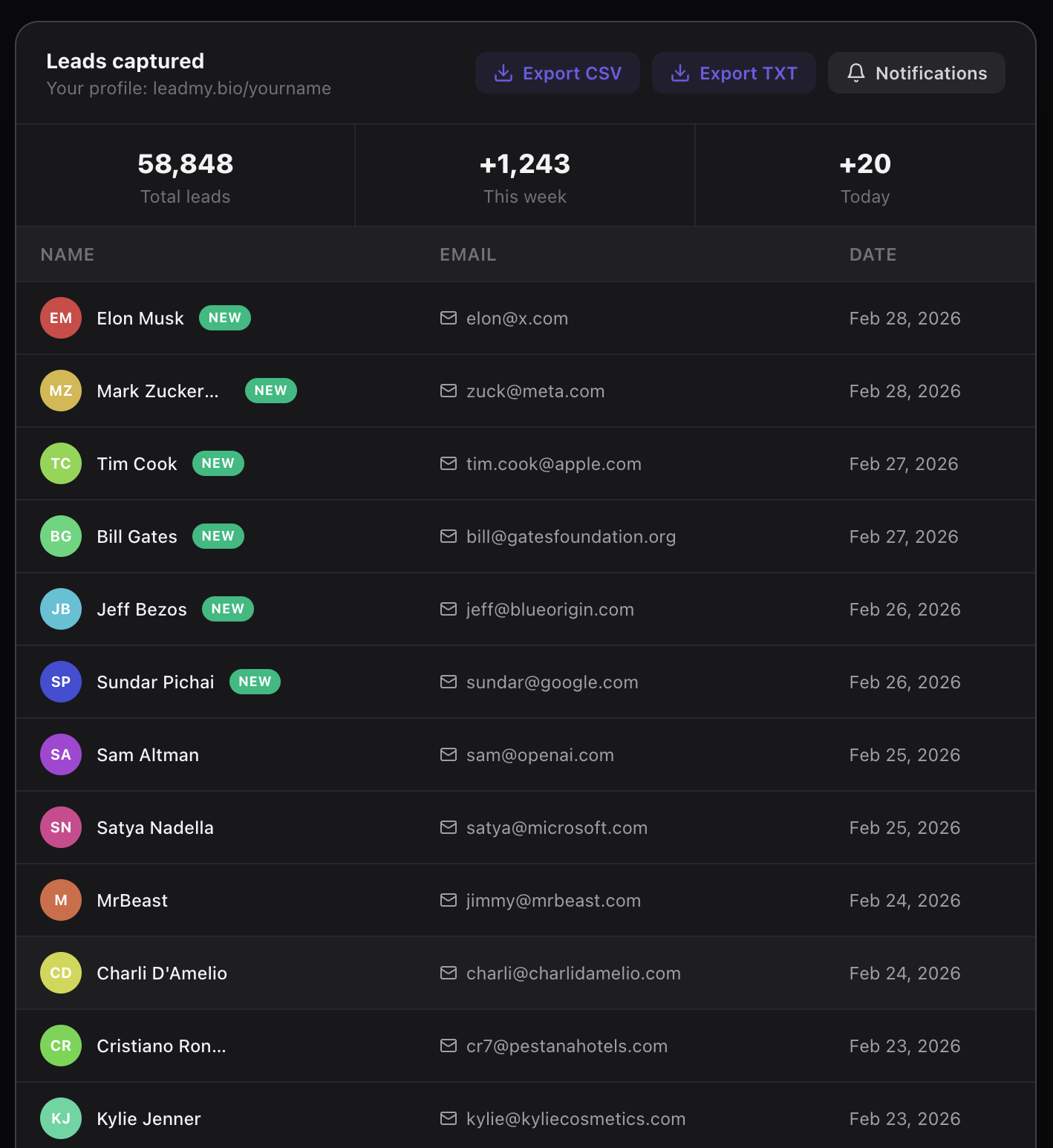
- Their verified name and email are added to your leads dashboard
- They proceed to your links, experiencing the rest of your page normally
What you get:
- Real name of every visitor who completes the Google login
- Verified email address (tied to a real Google account — no fake emails possible)
- Timestamp of when they visited
- A growing, exportable list of contacts you own
What makes this different from a form: A form on a landing page asks visitors to type their email. Most people abandon forms, and many who do fill them out enter disposable or fake email addresses. The Google login captures verified identity in one tap with zero typing. Conversion rates are significantly higher, and quality is incomparably better.
Side-by-Side Comparison
| What you can see | Instagram Insights | Linktree / Beacons | LeadMyBio |
|---|---|---|---|
| Total click count | Yes | Yes | Yes |
| Click date and time | Yes | Yes | Yes |
| Geographic data | Partial | Partial | No |
| Per-link breakdown | No | Yes | Yes |
| Visitor names | No | No | Yes |
| Verified email | No | No | Yes |
| Ability to contact visitors | No | No | Yes |
| Own the contact data | No | No | Yes |
The table illustrates the fundamental gap. Methods 1 and 2 are analytics tools — they help you understand traffic patterns. Method 3 is a contact capture tool — it builds a list of real people you can reach again.
What to Do With the Data Each Method Provides
Instagram Insights data: Use it to understand which times of day your bio link gets the most taps. Notice whether specific posts or Stories drive a spike in bio link clicks. This helps you optimize posting strategy but cannot be used to contact anyone.
Linktree/Beacons data: Use it to identify which links your audience actually uses and prune the ones they ignore. If your Spotify link gets one-tenth the clicks of your YouTube link, you have useful prioritization information. Still cannot contact anyone.
LeadMyBio data: Add contacts to your email platform. Send a welcome email. Include them in your newsletter. Email them when you launch something new. Pitch them a product. Run a survey to understand what they want from you. The data is not just informative — it is actionable in ways the first two methods cannot match.
How to Set Up Bio Link Click Tracking That Actually Identifies Visitors
- Go to leadmy.bio/login and create your free account
- Choose your username (leadmy.bio/yourname)
- Add all the links you want visitors to access — your website, YouTube, newsletter, podcast, shop
- Update your Instagram bio to use leadmy.bio/yourname as your link
From the moment you make that change, every person who taps your bio link will see your profile page, log in with Google, and appear as a named, identified contact in your dashboard.
LeadMyBio is free for your first 1,000 leads. No credit card needed. At 100 leads, it becomes $9 per month.
If you want to track bio link clicks and actually know who clicked — not just how many — LeadMyBio is the only method that delivers on that promise.
Ready to start capturing real leads? Set up your LeadMyBio profile in 5 minutes. Free forever up to 1,000 leads. No credit card. Create your free profile →
Ready to start capturing real leads?
Set up your LeadMyBio profile in 5 minutes. Free forever up to 1,000 leads.
Create your free profile →