Instagram Bio Link Analytics: What You Can (and Can't) See in 2026
Instagram gives you analytics data. Not all the analytics data you might want, and not always the data that would actually help you build a business — but real data, with real limits. If you are using your bio link strategically in 2026, you need to understand precisely what Instagram shows you, what it hides, and where third-party tools pick up the slack. This guide covers all three tiers.
Understanding your Instagram bio link analytics is not just an academic exercise. The data you have access to determines the decisions you can make. And the data you do not have access to is costing you real opportunities every single day.
Tier 1: Instagram Native Bio Link Analytics
How to Access Your Bio Link Data in Instagram Insights
You need a professional or creator account (not a personal account) to access Instagram Insights. If you are a creator running a serious bio link strategy, you should already have this.
Step-by-step access:
- Open Instagram and tap your profile icon
- Tap "Professional Dashboard" (appears below your bio on professional accounts)
- Select "Account Insights" for detailed data
- Tap "Total Followers" or navigate to "Reach" then "Profile Activity"
- Look for "Website Taps" — this is your bio link click metric
Alternatively, tap "View Insights" directly from your profile page and scroll to the "Profile Activity" section.
What Instagram Bio Link Analytics Actually Show
Bio link taps (Website Taps): This is the core metric. You see the total number of taps on your bio link over a selected period. Available breakdowns include the last 7 days and last 30 days, with a day-by-day chart.
Profile visits: The number of times your profile page was viewed. This is not the same as bio link clicks — someone can visit your profile without tapping your link. Comparing these two numbers gives you a rough conversion rate from profile visit to link tap.
Audience demographics: Available under "Total Followers," you can see:
- Age range distribution (by percentage)
- Gender breakdown
- Top countries and cities (by percentage of followers)
- Most active days and hours
Content performance by action type: For individual posts, you can see how many profile visits and "Link Taps" were driven by each specific post. This helps you understand which content converts viewers into bio link visitors.
The Hard Limits of Instagram Bio Link Analytics
Everything above describes what Instagram shows. Here is an explicit list of what Instagram definitively does not show you:
- Individual visitor identities: No names, no usernames, no emails. Every metric is aggregated and anonymized.
- Return visitor data: You cannot see whether the same person clicked your bio link three times this month.
- Funnel path data: You cannot see which specific posts led which specific people to click your link.
- Post-click behavior: Once someone taps your bio link and leaves Instagram, you have no data about what they did next (unless you use separate tools).
- Historical data beyond 90 days: Instagram Insights has limited historical depth for most metrics.
Tier 2: Third-Party Link-in-Bio Analytics
Tools like Linktree, Beacons, Later Link in Bio, and Koji sit between Instagram and your destinations. They provide a hosted page with multiple links and their own analytics layer.
What Third-Party Tools Add
Per-link click data: Unlike Instagram, which only shows total bio link taps, these tools show you how many people clicked each individual link on your page. If you have five links, you see the click count for each one separately.
Traffic source data: Some tools attempt to identify where your traffic is coming from (Instagram Stories vs. feed vs. direct).
Device and browser data: Desktop vs. mobile, iOS vs. Android, which browser.
Geographic data: Country and sometimes city-level breakdown of your visitors.
Historical comparisons: Many paid plans allow you to compare traffic periods over months or years.
What Third-Party Tools Still Cannot Show
Despite the additional data layer, third-party link-in-bio tools share one critical limitation with Instagram: they cannot identify individual visitors.
They are analytics tools, not identity tools. The data they collect is traffic data — how many, from where, on what device. The people behind those clicks remain completely anonymous.
LeadMyBio captures a verified email from every person who taps your bio link — via Google login, no forms, no fake addresses. Start building your list free →
Tier 3: Identity-Level Bio Link Analytics with LeadMyBio
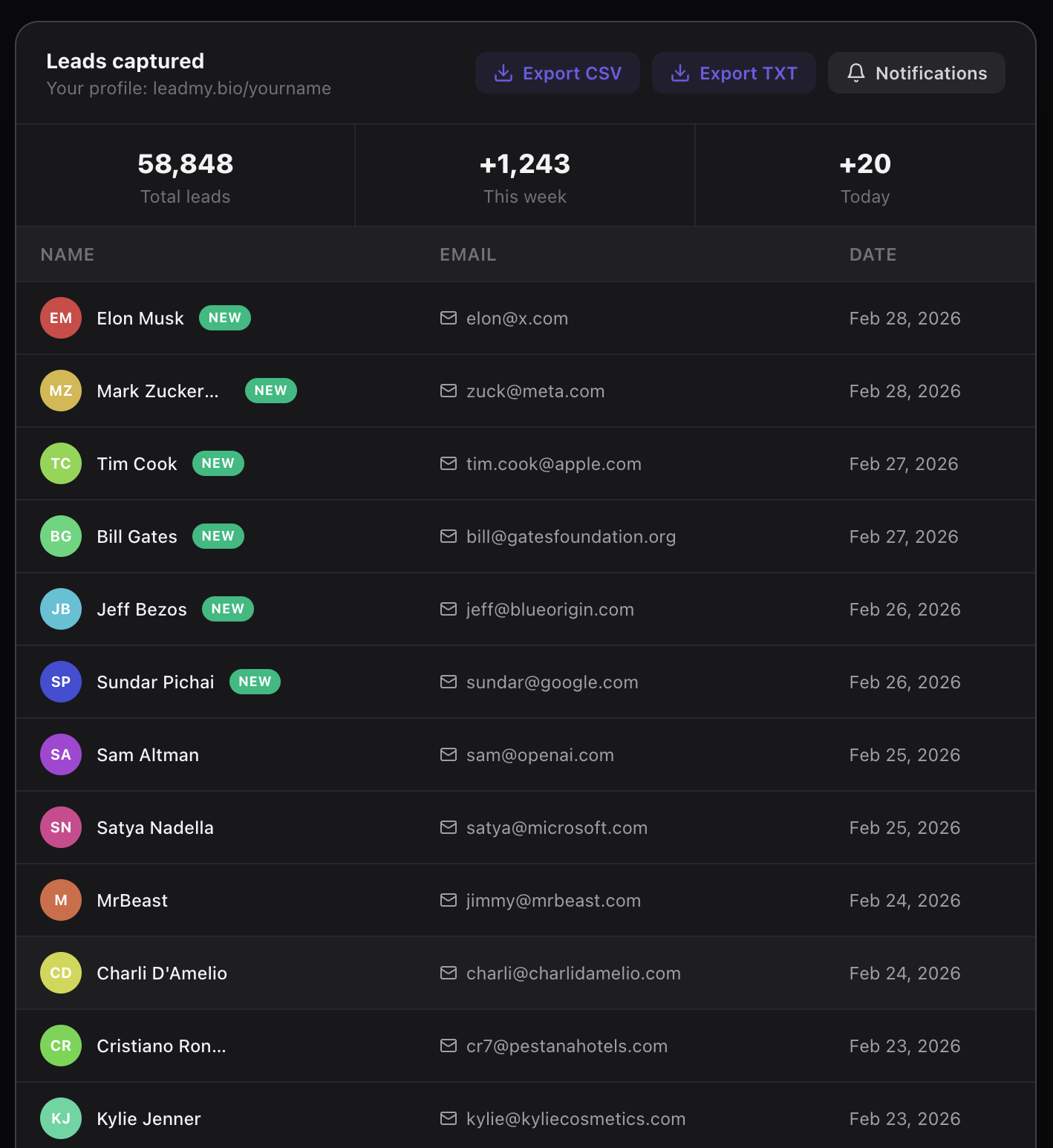
This is the data tier that most creators do not know exists. LeadMyBio does not just show you click counts — it captures the identity of every visitor.
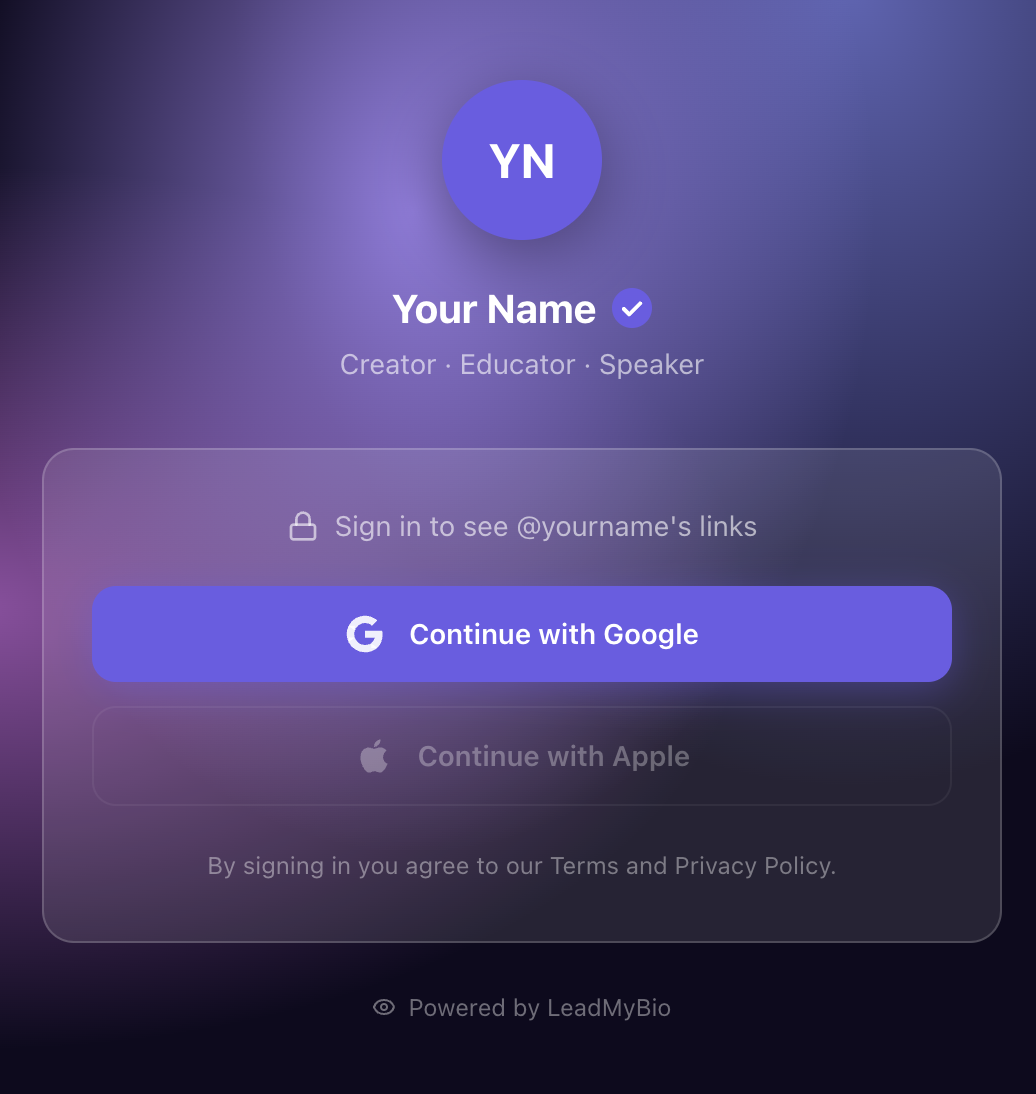
The mechanism is a Google login gate. Every person who taps your bio link (leadmy.bio/yourname) sees your profile page. Before they can see your links, they tap "Continue with Google." One tap. Their verified name and email address are added to your leads dashboard instantly.
What Tier 3 Analytics Provide
| Metric | Instagram Insights | Linktree / Beacons | LeadMyBio |
|---|---|---|---|
| Total bio link clicks | Yes | Yes | Yes |
| Daily/weekly trend | Yes | Yes | Yes |
| Per-link click breakdown | No | Yes | Yes |
| Geographic data | Partial | Yes | No |
| Device data | Partial | Yes | No |
| Visitor name | No | No | Yes |
| Verified email | No | No | Yes |
| Timestamp per visitor | No | No | Yes |
| Exportable contact list | No | No | Yes |
| Ability to email visitors | No | No | Yes |
Why Identity-Level Data Is Categorically Different
Click counts and geographic data help you optimize. Identity data lets you act.
With a click count, you know 400 people were interested. With verified emails, you can email all 400 of them when you launch something.
With geographic data, you know your audience skews toward Brazil and the US. With individual contact data, you can segment your list and speak differently to each group.
With per-link analytics, you know your YouTube link is more popular than your shop link. With an email list, you can ask your audience directly why they prefer one and what would make them buy from the other.
The Practical Takeaway: Use All Three Tiers Together
These tiers are not mutually exclusive. You can use LeadMyBio as your bio link tool — capturing identity at the gate — while still monitoring Instagram Insights for post-level performance data.
The recommended setup for a creator serious about their bio link analytics in 2026:
-
Instagram Insights: Monitor which posts drive spikes in bio link clicks. Double down on the content formats that convert profile visitors into link tappers.
-
LeadMyBio dashboard: Track which days generate the most new leads. Correlate lead capture spikes with specific content you posted. Watch your total contact list grow in real time.
-
Email platform (Mailchimp, ConvertKit, Beehiiv): Import your LeadMyBio contacts and see open rates, click rates, and revenue attribution. This is where bio link analytics ultimately convert into business results.
Setting Up LeadMyBio to Capture Identity Data
- Go to leadmy.bio/login and create your free account
- Set your username — your bio link becomes leadmy.bio/yourname
- Add your destination links
- Replace your Instagram bio link with your LeadMyBio URL
Your first 1,000 leads are free, with no credit card required. After 100 leads, the plan is $9 per month.
Instagram bio link analytics in 2026 have three tiers. Most creators stop at tier one or two. The ones building sustainable businesses are working at tier three — where clicks have names and names have email addresses.
Ready to start capturing real leads? Set up your LeadMyBio profile in 5 minutes. Free forever up to 1,000 leads. No credit card. Create your free profile →
Ready to start capturing real leads?
Set up your LeadMyBio profile in 5 minutes. Free forever up to 1,000 leads.
Create your free profile →