The Instagram Reels to Email List Funnel Most Creators Are Missing
Instagram Reels is one of the most powerful organic reach tools available to creators right now. A single Reel can land in front of hundreds of thousands of people who have never heard of you — non-followers, cold audiences, people who had no idea you existed 30 seconds ago.
That's the upside. Here's the problem: almost no one is converting that reach into something they actually own.
Reels Reach Is a Spike, Not an Asset
When a Reel performs well, the algorithm gives it a window. It pushes your content to explore feeds, to Reels tabs, to non-followers. Your metrics go vertical — views, impressions, profile visits, all of it.
Then the window closes. The algorithm moves on. The next trending sound takes over, and the traffic that found you last week is already somewhere else.
This is the fundamental nature of Reels reach: it's borrowed. Instagram is lending you an audience for a period of time. You don't own that attention. You can't message those people next month. You can't segment them, export them, or reach them on any other platform.
Email is the exact opposite. Once someone is on your list, they're there. No algorithm decides whether your next email reaches them. No platform policy change can take your list away. No account suspension wipes out your audience overnight.
The creators building sustainable income and influence aren't just posting Reels. They're using Reels to fill a funnel that ends in a contact they own permanently.
The Funnel Most Creators Ignore
The complete funnel looks like this:
Viral Reel → Profile visit → Bio link click → Google login → Verified email in your list
Every step in this funnel already happens naturally when a Reel performs. Viewers see interesting content, they tap the username to learn more, they visit the profile, they see the bio link CTA — "link in bio" is one of the most familiar CTAs in all of social media. Creators use it constantly. Audiences are trained to follow it.
The problem is what happens at the end of that funnel. Most bio links go to Linktree, Beacons, or a personal website. The visitor sees a list of links, maybe clicks one, and leaves. No record of who they were. No email captured. No way to reach them again.
The traffic hit the funnel and fell out the bottom.
The Math That Makes This Obvious
Let's put real numbers on this. A Reel that reaches 10,000 people is not unusual — many creators hit this on a regular basis without going "viral" in any dramatic sense.
From 10,000 views:
- Roughly 5% visit your profile: 500 profile visits
- Roughly 20% of those click your bio link: 100 bio link clicks
Now here's where the two paths diverge.
With a traditional link-in-bio tool (no email capture): you might have a newsletter opt-in form somewhere on the page. Form conversion rates for cold social traffic are typically 2–5%. That's 2 to 5 emails collected.
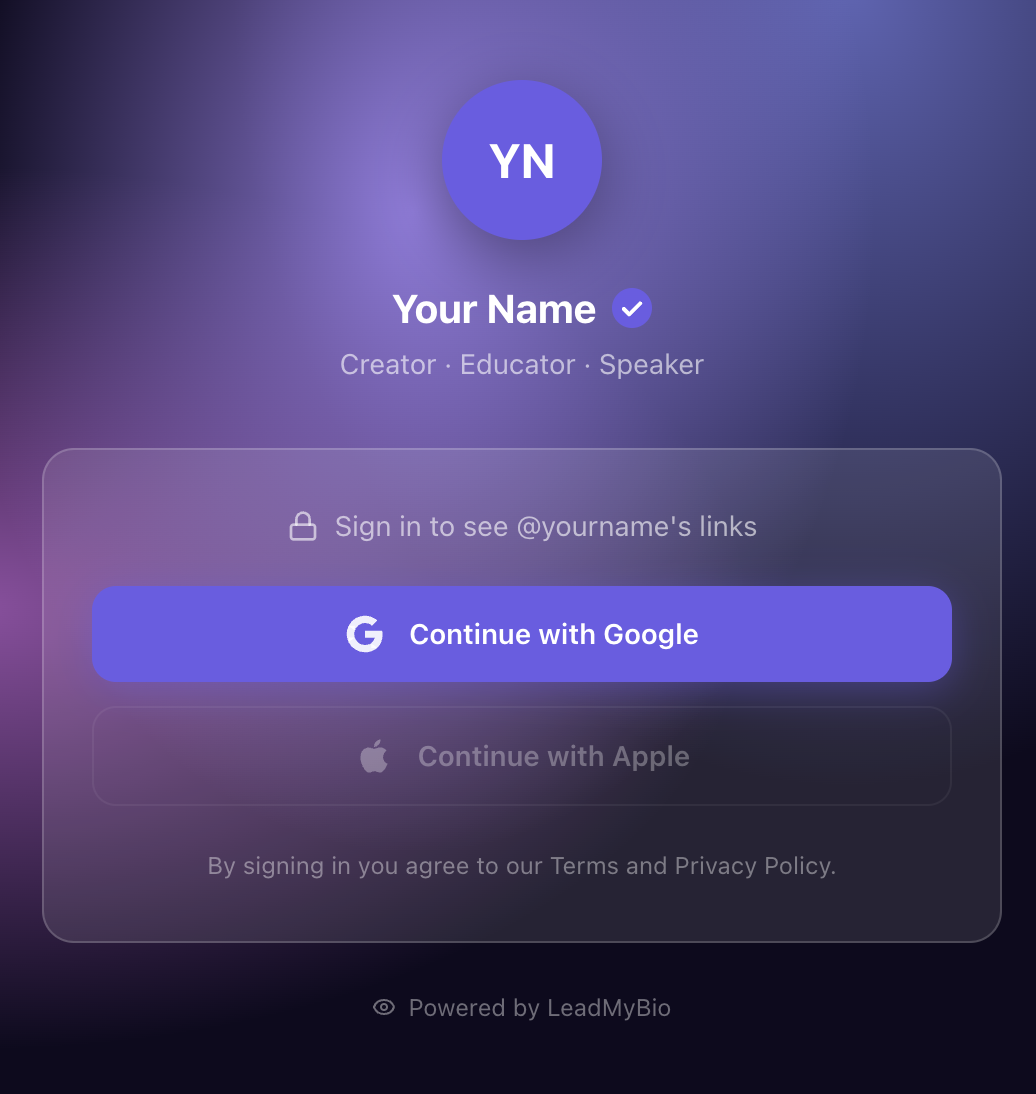
With an identity-gated bio link using Google login: the visitor sees a one-tap sign-in prompt before accessing your links. On mobile, where Instagram users already are, they're typically already logged into Google. One tap. Done. Conversion rates run around 17%. That's 17 verified email contacts.
Scale that across 10 Reels at this performance level:
- Traditional form: 20–50 emails
- Google login capture: 170 emails
Same content. Same reach. Same CTAs in your captions. The only difference is what happens at the end of the funnel.
Why Google Login Changes the Conversion Rate
The core problem with email opt-in forms is friction. You're asking a cold visitor — someone who stumbled on your Reel 60 seconds ago — to stop, read your form, type their email address, decide whether they trust you with it, and submit. Most don't.
Google login removes almost all of that friction. The visitor doesn't type anything. They don't make a decision about sharing personal data — they're just continuing a flow they complete dozens of times a day across the internet. One tap, one second, it's done.
And the email you capture is verified. It's the email tied to their active Google account — not a fake address, not an old inbox they never check, not a typo. Verified, deliverable, real.
You Don't Need Every Reel to Go Viral
This is the key insight that most creators miss when they think about building an email list from Reels.
The instinct is to think: "I'll set up email capture once I have a viral Reel." But that's backwards. Viral moments are rare and unpredictable by definition. Building your list only during spikes means you're constantly waiting for luck.
The better strategy is the opposite: get a capture mechanism working 24/7 on every single bio visit, regardless of where it comes from. A Reel with 800 views that sends 40 people to your profile is still 40 potential leads. A story mention from another creator, a Google search that surfaces your Instagram, someone finding you through a hashtag — all of it sends traffic to your bio, and all of it goes to waste without a capture system in place.
Consistent, compounding capture across all traffic beats an occasional spike with no capture every time. The math favors the creator who has the system running, not the one who went viral once.
Setting Up the Funnel
The setup is straightforward.
- Create a LeadMyBio profile at leadmy.bio — free account with Google, takes under 5 minutes
- Set your username (ideally matching your Instagram handle)
- Add your links — wherever you want people to go after they authenticate
- Update your Instagram bio link to
leadmy.bio/yourname - Keep doing what you're already doing: posting Reels and dropping "link in bio" CTAs
The system does the capture automatically. Every bio visit that completes the Google sign-in appears in your dashboard with their name and verified email. Export anytime as CSV, segment by source, integrate with your email tool of choice.
What to Do With the Leads
Capturing the email is step one. Using it well is what turns the list into an asset.
A few practical moves:
Send a short welcome email within 24 hours. The lead is fresh — they remember your content, they're still in the mindset that made them click. A single line acknowledging what they signed up for and what's coming next is enough. It sets the relationship.
Segment by Reel topic. LeadMyBio supports source parameters (leadmy.bio/yourname?ref=reel-topic-name), so you can track which Reels drive the most sign-ups. Over time, this tells you which content themes attract your most engaged audience — the people willing to leave Instagram to follow you further.
Treat the list as direct access, not a broadcast channel. The people who clicked your bio, completed a sign-in, and landed on your links are not passive scrollers. They took action. Email them like you're talking to a specific person, not announcing to a crowd.
The Window Is Still Open
Instagram Reels reach for non-followers is as high as it's ever been. The organic distribution advantage is real, and it won't last forever — it never does on any platform.
Right now, Reels can put you in front of people who have never heard of you, at zero cost, at scale. That's a remarkable acquisition channel. The only question is whether that acquisition ends with a follower count you don't own, or an email list you do.
The funnel is already there. Your audience is already using it. The "link in bio" CTA is already in your captions.
You just need the last piece to be working.
Ready to stop renting your audience? Set up your LeadMyBio profile in 5 minutes. Free forever up to 1,000 leads. No credit card required. Create your free profile →
Ready to start capturing real leads?
Set up your LeadMyBio profile in 5 minutes. Free forever up to 1,000 leads.
Create your free profile →