Link in Bio Lead Generation: How to Turn Every Bio Click Into a Real Contact
Your bio link is the single most valuable piece of real estate in your creator business. It is the one place on Instagram where you have permission to send traffic off-platform. Every day, real people tap that link — people who are interested enough in you to take an action. Most of them disappear completely.
Link-in-bio lead generation is the discipline of converting that anonymous traffic into a real, owned list of contacts. Done correctly, it is the most efficient lead generation channel available to creators — requiring no ad spend, no content creation beyond what you already do, and no ongoing manual work.
The Bio Traffic Funnel: What Happens by Default
Every creator's bio link has a traffic funnel. Most creators have never thought about it explicitly, which is exactly why it performs so poorly.
Here is what the default funnel looks like:
Step 1 — Content: You post a Reel, a photo, or a Story. Some percentage of viewers are interested enough to go to your profile.
Step 2 — Profile visit: They read your bio, see your photo, form an impression. Some percentage are interested enough to tap your link.
Step 3 — Bio link tap: They land on your link-in-bio page (Linktree, your website, or wherever you send them).
Step 4 — Anonymous departure: They browse, click something or nothing, and leave. You receive a click count in your analytics. You know it happened. You do not know who it was. You cannot follow up.
The default funnel has a fatal flaw: it converts traffic into anonymity. The person who tapped your bio link is gone — unidentified, unreachable, no different in your records than the 10,000 others who did the same thing before them.
The Transformed Funnel: Anonymous Click to Verified Contact
With the right infrastructure at step 3, the funnel changes entirely.
Step 1-2: Same as above.
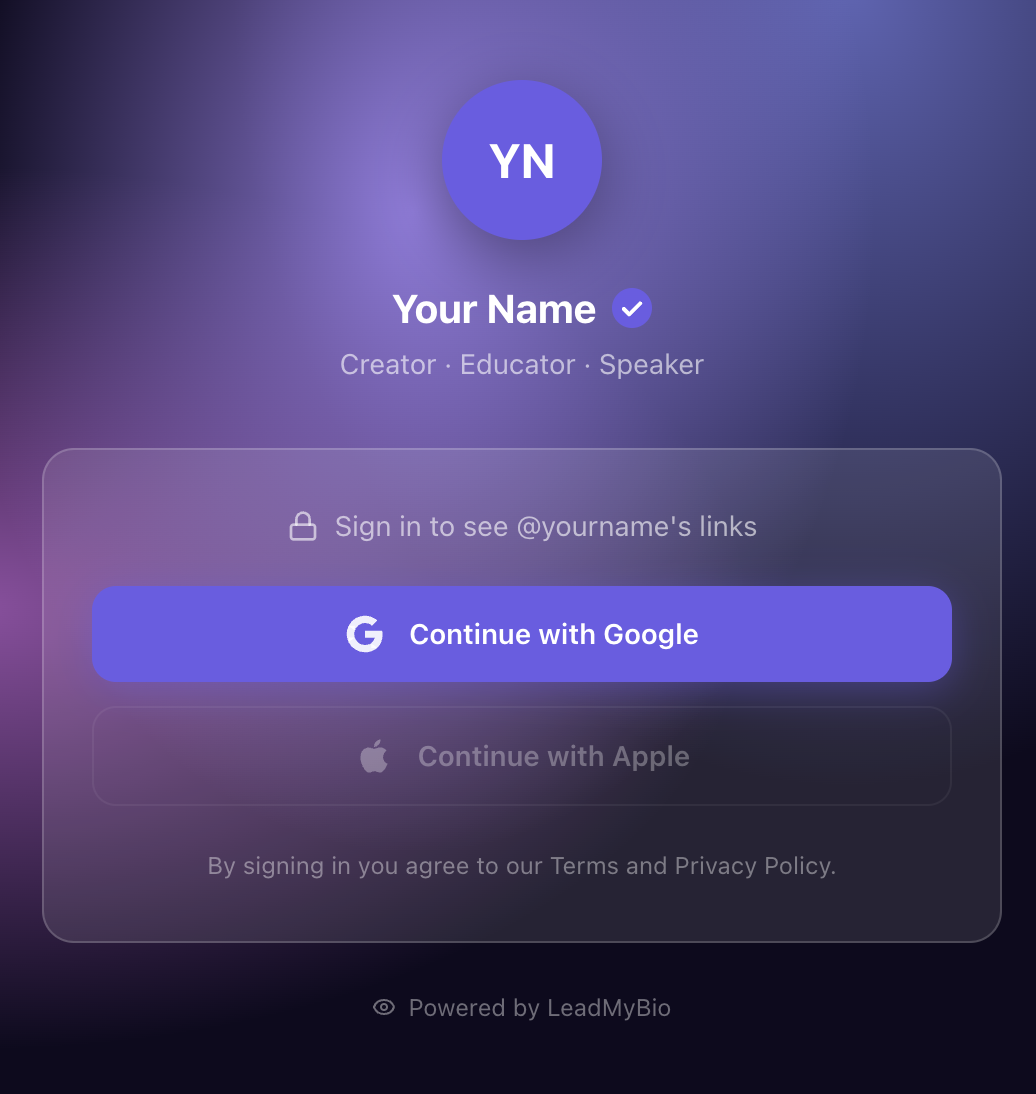
Step 3 — Bio link tap with Google login gate: They land on your LeadMyBio profile page. They see your name and photo. Before seeing your links, they tap "Continue with Google." One tap. Their verified name and email are captured. They proceed to your links.
Step 4 — Departure as an identified contact: They browse your links and leave — but this time, they exist in your database as a real person with a real name and a verified email address. You can reach them again. You can email them tomorrow, next week, or next year.
The conversion is not dramatic — the visitor does the same thing they always did. But from your perspective, they are no longer anonymous. They are a contact.
What to Do With the Leads You Capture
This is the question that separates creators who understand lead generation from those who do not. Capturing leads is step one. What you do with them determines whether they are worth anything.
Welcome email — immediate value delivery: The moment someone signs up via your bio link, send them a welcome email. Thank them for visiting. Tell them who you are and what you share. Give them a reason to open your next email. This can be automated in any email platform (Mailchimp, ConvertKit, Beehiiv, Kit). A strong welcome email sets open rate expectations for everything that follows.
Newsletter — ongoing relationship: Your email list is only valuable if you show up in people's inboxes regularly. A weekly or biweekly newsletter keeps your name in their minds between posts. Unlike Instagram, where an algorithm decides whether to show your content, email lands directly in their inbox every time.
Product launches — direct revenue: When you are ready to sell something — a course, a coaching program, a digital download, a physical product, a membership — your email list is the most reliable launch channel you have. Open rates for creator newsletters typically run 30-45% from an engaged list. Compare that to 3-5% organic Instagram reach for non-Reels content.
Segmentation — personal relevance: As your list grows, you can tag contacts by when they signed up (correlating with specific content you were posting), by which links they clicked, or by how they engage with your emails. This lets you send different messages to different segments — more relevant content, better results.
Brand pitches — proof of owned audience: Some creators now share their email list size and engagement metrics with brand partners alongside their Instagram follower count. A list of 5,000 verified contacts with 40% open rates tells a brand something that 50,000 Instagram followers alone cannot: that this creator has a direct, responsive relationship with their audience.
LeadMyBio captures a verified email from every person who taps your bio link — via Google login, no forms, no fake addresses. Start building your list free →
The LeadMyBio Mechanism: How It Captures Leads at Scale
LeadMyBio is the tool that transforms step 3 of your bio funnel. Instead of sending visitors directly to your links, it routes them through a Google login first.
Visitors see your LeadMyBio profile page. It looks like a clean, branded bio page — your name, your photo. They tap "Continue with Google" — one tap, no typing, using the Google account already on their phone — and they are through to your links. The entire login interaction takes under two seconds.
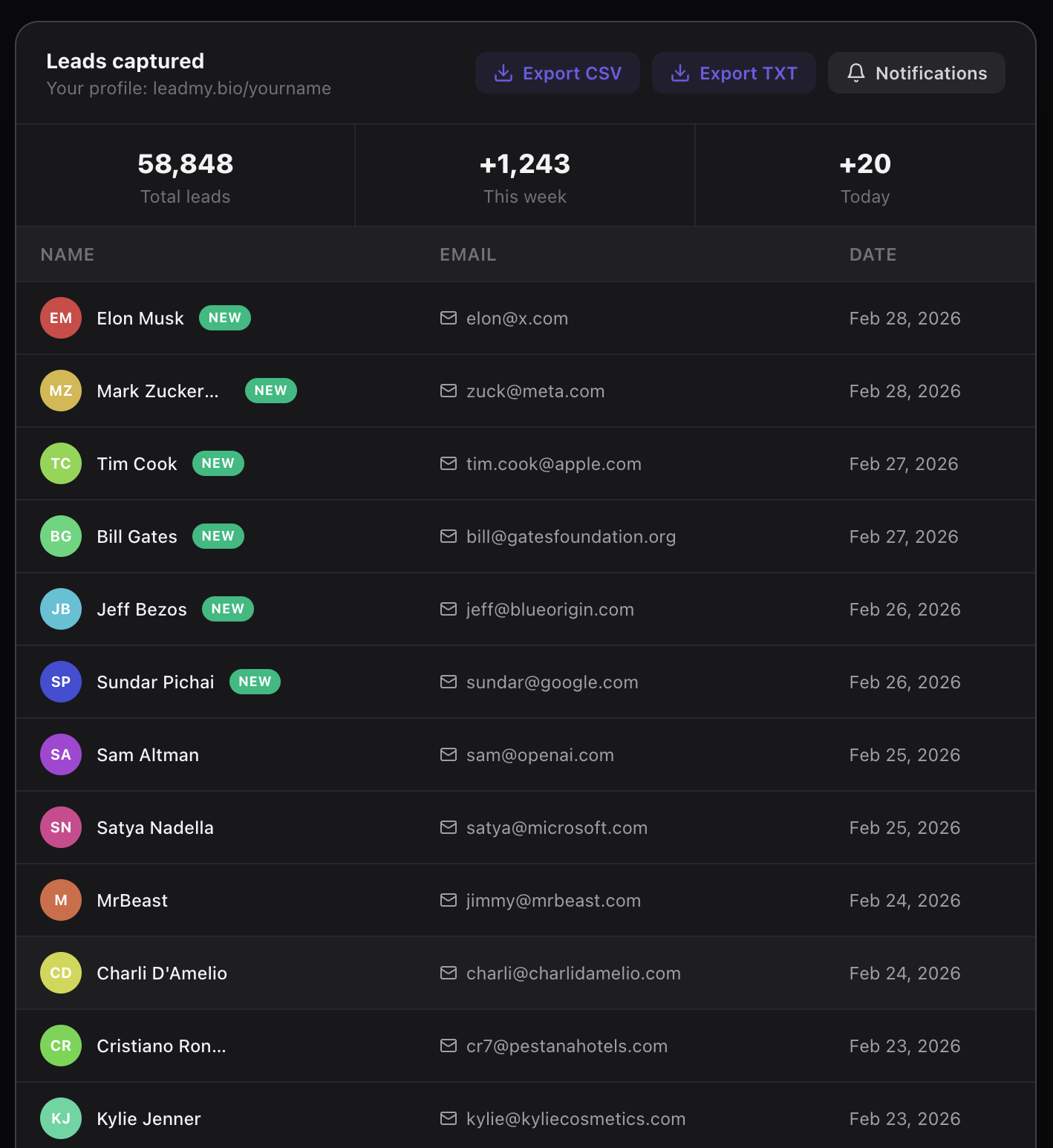
Behind the scenes, their verified name and email have been captured and added to your leads dashboard. You can view them in real time, export them at any time, and import them into your email marketing platform.
The Numbers: What Bio Link Lead Generation Produces
Consider a creator with 12,000 followers who gets an average of 100 bio link taps per day.
Without lead generation:
- 100 taps/day → 3,000 taps/month → 36,000 taps/year
- Identifiable contacts from bio link: 0
- Email list growth from bio link: 0
With LeadMyBio (15% lead conversion rate):
- 100 taps/day × 15% = 15 leads per day
- 15 leads/day → 450 leads per month → 5,400 leads per year
After year one: 5,400 verified, identified contacts. After year two: 10,800 contacts. This assumes the creator's bio traffic stays constant — in reality, as the creator's account grows, bio traffic typically grows as well, compounding the list size.
What does a 10,800-contact list enable?
- A product launch emailed to 10,800 people at 40% open rate = 4,320 openers
- A 3% purchase conversion on a $79 product = 130 sales = $10,270 from a single email
- That same email can be sent again and again to future subscribers
The bio link traffic was always there. The only change is adding a mechanism to identify who is creating it.
Three Common Objections — Answered
"My bio link doesn't get that many taps." Even small accounts benefit. If your bio link gets 20 taps per day and you convert 15%, that is 3 leads per day, 90 per month, 1,080 per year. A list of 1,080 verified contacts from a small account is more valuable than a Linktree click count from an account ten times larger.
"People won't want to log in." Some will not. The 15-20% who decline are almost always the lowest-intent visitors — people who were casually curious but not genuinely interested. The 80% who log in are actively signaling interest. That self-selection makes the list better, not worse.
"I don't have anything to send yet." Start capturing now. You can build your list before you have a newsletter or product strategy. The worst time to start building an email list is when you need one. The best time is now, even if you are not ready to use it yet.
Setting Up Link-in-Bio Lead Generation
- Go to leadmy.bio/login and create your free account
- Choose your username — your bio link becomes leadmy.bio/yourname
- Add your destination links (everything you currently link to)
- Replace your current Instagram bio link with your LeadMyBio URL
The setup takes under 10 minutes. From that moment, every person who taps your bio link feeds your contact list — automatically, passively, while you focus on creating content.
LeadMyBio is free for your first 1,000 leads. After 1,000, it is $9/month.
Your bio link is getting traffic right now. The only question is whether you are capturing it or letting it disappear.
Ready to start capturing real leads? Set up your LeadMyBio profile in 5 minutes. Free forever up to 1,000 leads. No credit card. Create your free profile →
Ready to start capturing real leads?
Set up your LeadMyBio profile in 5 minutes. Free forever up to 1,000 leads.
Create your free profile →