The Linktree Alternative That Actually Captures Emails (Not Just Clicks)
Linktree shows you clicks. LeadMyBio shows you people. That one sentence captures the entire difference between the two, and it is the only sentence that matters when you are choosing a link-in-bio tool in 2026.
Linktree is an excellent product for what it was built to do: show multiple links from a single bio link. It does that well, at scale, with a clean interface. But it was not built to answer the question "who is clicking my bio link?" and it was absolutely not built to help you build an owned contact list. If that is what you need — and it is what you need — Linktree is the wrong tool, and LeadMyBio is the right one.
The Core Problem with Linktree
Linktree has 50+ million users. It is the default choice for creators who want a quick solution to the "one link in bio" constraint. Set it up in five minutes, add your links, and you are done.
The problem is not what Linktree does. The problem is what it cannot do.
Every time someone taps your Linktree bio link, they land on your page, click wherever they want, and leave. Linktree records that it happened — a tick in a click counter. It does not record who it happened. It has no mechanism to capture that person's identity. It does not know their name. It does not know their email.
After a year of using Linktree, you have a dashboard full of statistics. You know your YouTube link got 4,200 clicks. You know your podcast link got 1,800. You know most of your traffic comes from the US. But you have zero contacts. Zero names. Zero emails. The 6,000 real human beings who tapped links on your page over that year are completely unknown to you. You cannot reach a single one of them.
This is not a niche concern. It is the central strategic failure of the "show your links" model of bio pages.
What Happens When You Do Not Own Your Audience
The creator economy is increasingly built on owned audiences — direct access to real contacts that does not depend on any platform's algorithm, reach, or goodwill.
A creator with 100,000 followers and zero email contacts is entirely dependent on Instagram's decisions. If the algorithm deprioritizes their content, their reach drops. If the platform changes its monetization policies, their income is affected. If their account is restricted or banned — for any reason, including mistakes — they lose access to 100,000 relationships they have spent years building.
A creator with 100,000 followers and 10,000 email contacts is in a fundamentally different position. If Instagram's reach drops, they email their list. If the algorithm changes, they email their list. If they want to launch a product, they email their list — and the delivery rate is 95%+ compared to the 3-5% organic reach of most Instagram posts.
Linktree cannot help you build those 10,000 contacts. LeadMyBio exists specifically to help you build them.
How LeadMyBio Works as a Linktree Alternative
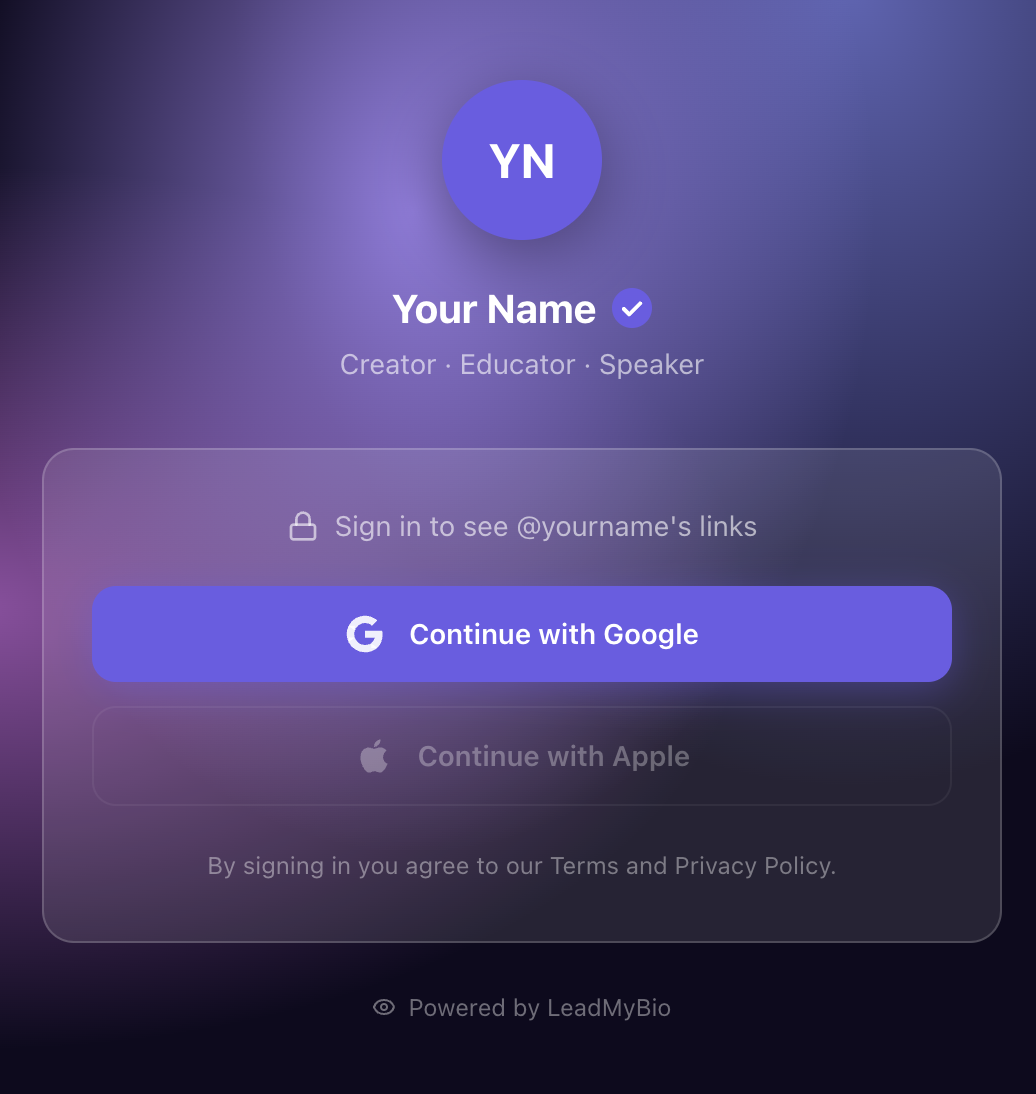
The structural difference is the login gate.
With Linktree: visitor taps bio link → sees your links immediately → clicks around → leaves. You get a click count.
With LeadMyBio: visitor taps bio link → sees your profile page → logs in with Google (one tap) → sees your links → clicks around → leaves. You get their verified name and email.
The visitor experience with LeadMyBio takes approximately two additional seconds. Most people are already signed into Google on their phone. Tapping "Continue with Google" is a single gesture. After that, they see your links and proceed exactly as they would on any other link-in-bio page.
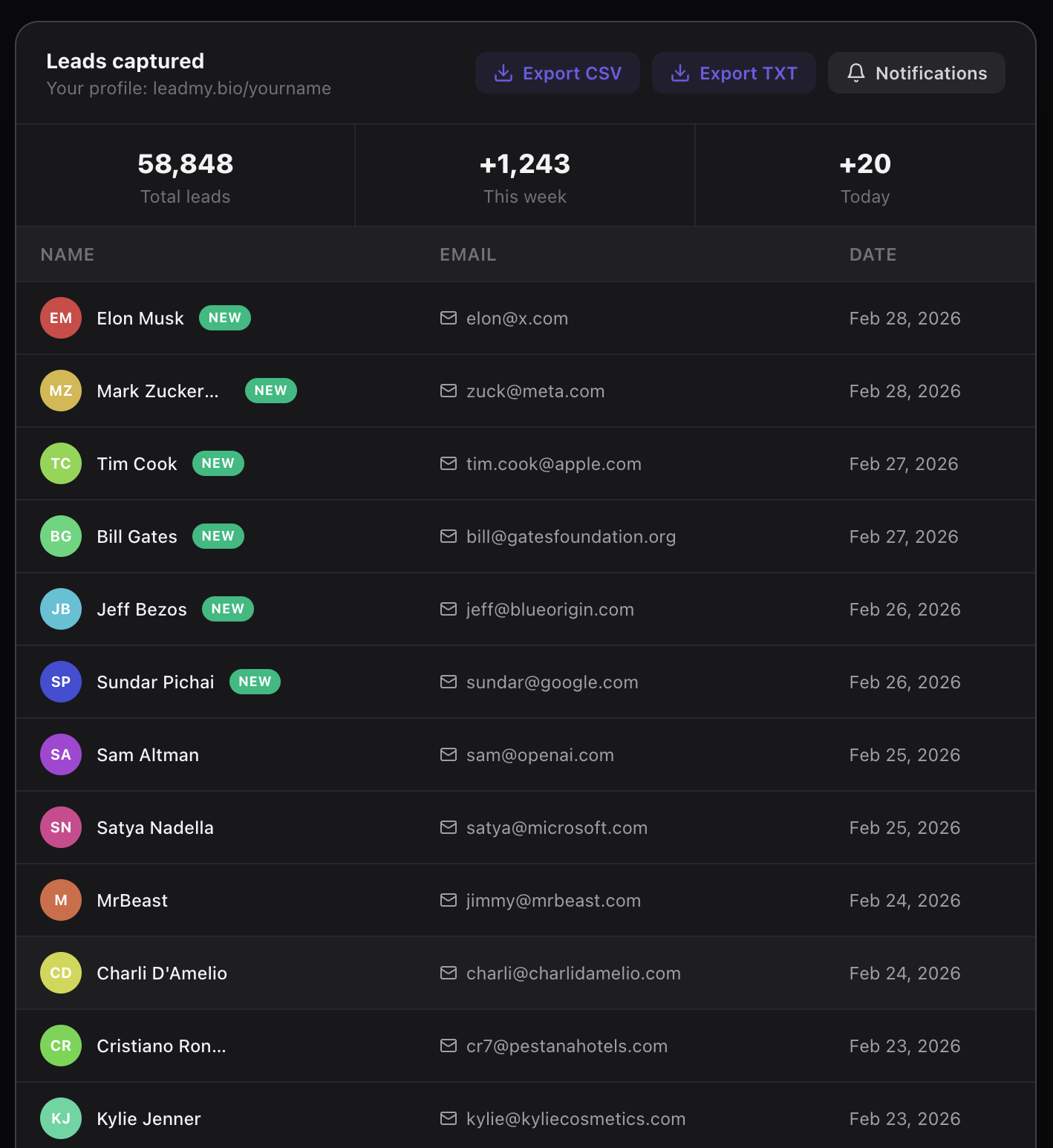
The creator experience is radically different. Instead of click counts, you have a live feed of names and verified emails appearing in real time as people tap your bio link.
LeadMyBio captures a verified email from every person who taps your bio link — via Google login, no forms, no fake addresses. Start building your list free →
The Email Capture ROI: Linktree vs. LeadMyBio
Let us run the math for a creator with 20,000 followers whose bio link gets an average of 200 taps per day.
With Linktree:
- 200 taps per day → 6,000 taps per month → 72,000 taps per year
- Verified contacts captured: 0
- Identifiable audience growth from bio link: 0
- ROI on bio link traffic: you have numbers, no contacts
With LeadMyBio (15% conversion through Google login):
- 200 taps per day → 30 leads per day
- 30 leads per day → 900 leads per month
- 900 leads per month → 10,800 leads per year
After one year: 10,800 verified contacts who have actively identified themselves as interested in your content. Every one of them is reachable via email with a deliverability rate above 95%.
The revenue difference: If you use your email list to launch a $47 digital product and just 2% of your list buys:
- From a 10,800-contact list: 216 sales × $47 = $10,152
- From a Linktree-built "list" of zero: $0
The compounding difference over multiple years is what transforms a creator with decent Instagram numbers into a creator with a sustainable, algorithm-independent business.
Does LeadMyBio Still Show Links?
Yes. This is a common question and it is worth being direct about.
LeadMyBio is a link-in-bio page. You add your links — YouTube, podcast, website, newsletter, shop, anything — and they are all shown on your profile page after the visitor logs in with Google. Every link you currently have on Linktree can be added to LeadMyBio.
The experience for visitors who complete the Google login is the same as any other link-in-bio tool: they see your links and tap the ones they want. The only difference is that the login happened first.
LeadMyBio does everything Linktree does, plus one thing Linktree cannot do: it identifies your visitors.
The "But Will It Scare Visitors Away?" Question
Some creators worry that requiring a Google login will reduce their bio link traffic or alienate visitors. This concern is real but typically overestimated.
A small percentage of visitors will leave rather than log in. This is usually 80-85% of visitors proceeding through the login, with 15-20% leaving. The visitors who leave are almost always the lowest-intent ones — people who were casually curious but not genuinely interested in your content.
The visitors who log in are actively signaling that they want to see what you have. They are your most interested audience members. They are the ones most likely to open your emails, buy your products, and engage with your community.
Losing 80-85 low-intent browsers to gain 15-20 high-intent, identified, reachable contacts is a trade every serious creator should accept immediately.
Switching from Linktree to LeadMyBio
- Go to leadmy.bio/login and create your account
- Add your username — your new bio link will be leadmy.bio/yourname
- Add the same links you currently have on Linktree
- Go to Instagram and update your bio link from your Linktree URL to your LeadMyBio URL
The setup takes about 10 minutes if you are copying links from an existing Linktree profile. After that, the system runs passively — every visitor who taps your bio link feeds your contact list automatically.
LeadMyBio is free for your first 1,000 leads. After that, $9/month.
Linktree gives you clicks. LeadMyBio gives you contacts. Choose based on which of those two things you actually need in 2026.
Ready to start capturing real leads? Set up your LeadMyBio profile in 5 minutes. Free forever up to 1,000 leads. No credit card. Create your free profile →
Ready to start capturing real leads?
Set up your LeadMyBio profile in 5 minutes. Free forever up to 1,000 leads.
Create your free profile →